Saving gold starts from IDR 10,000

Physical gold guaranteed 100% by Pegadaian

Buy and sell gold online at OCBC mobile

Protected from inflation and deflation

Has no depreciation value in the long term

Gold can be printed into gold bars at Pegadaian

The process of opening a Gold Savings account is faster
Informasi terkait Tabungan Emas
To open a Gold Saving Account, Customers can follow these steps as follows:
Frequently Asked Questions about Tabungan Emas

Gold Savings is a service owned by Pegadaian that is in the OCBC mobile application through a collaboration between Bank OCBC and Pegadaian which allows customers to carry out gold investment activities electronically through the OCBC mobile application.
Until now, there are several features that can be used by the Customer, namely:
Related to point 1 above, for customers who use multicurrency accounts (Tanda 360 Plus and Tanda 360 Plus Employees), only Rupiah accounts can be used for transactions on the Gold Savings service.
Yes, with the following steps:
Custody fees. For this fee, in the first year it is not charged by the Pegadaian. Fees will be charged for the following year in accordance with the rules that apply at Pegadaian
Yes, with the following steps:
Yes, here is the minimum or maximum purchase limit for gold:
To make purchases on the second day and beyond, follow the flow similar to that of Initial Deposit. The difference is only in the limit of buying gold transactions.
Yes, here is the minimum or maximum gold purchase limit on the second day and so on:
Yes, with the following steps:
Yes, here are the minimum or maximum gold purchase limits for the second time and so on:
Mandatory, equal to 0.05 grams of gold so that the account does not become dormant
Yes, with the following steps:
Yes, with the following steps:
Can. The customer can print gold by coming to the Pegadaian Outlet chosen by the customer
Yes, the minimum number of grams that can be printed is according to what is available at the Pegadaian
Gold in the Gold Savings product is not guaranteed by the Deposit Insurance Corporation (LPS) because it is not a bank product.
For the current OCBC mobile version, it still doesn't work
Customers can contact Bank OCBC through the Contact Center to find out data that is not appropriate
The customer re-registers
Customers can contact Bank OCBC through the Contact Center to find out data that is not appropriate
Can't find the question you're looking for?
View Other Questions

Sebulan lagi menuju tahun baru, hidup rasanya bergerak begitu cepat. Tidak hanya hidup, tapi juga harga pun ikut-ikutan naik dengan kecepatan yang sama. Namun, ada satu hal yang rasanya tetap diam di tempat, tidak ikut berpindah kemana-mana: kesadaran anak muda akan pentingnya manajemen finansial adalah kewajiban, bukan lagi pilihan. Apalagi kalau berkaca pada gaya & kondisi generasi mereka saat ini.
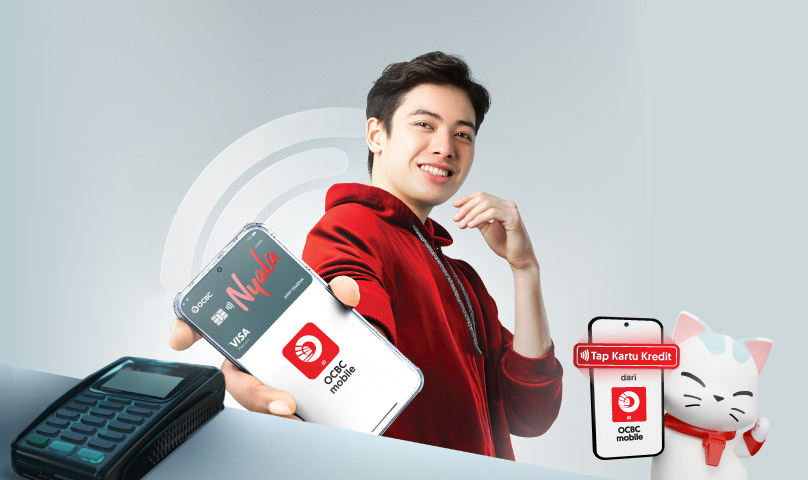
Di era serba cepat seperti sekarang, kecepatan dan kemudahan menjadi hal penting dalam beraktivitas sehari-hari, termasuk saat bertransaksi. Rasanya sudah bukan waktunya lagi repot cari-cari kartu atau bawa dompet setiap kali ingin melakukan transaksi kartu kredit. Kabar baiknya, sekarang ada cara baru yang bikin transaksi kamu jadi lebih simpel tapi tetap aman. Yuk, kenalan sama fitur Tap Kartu Kredit di OCBC mobile!
Banyak orang meremehkan bukti transaksi. Kenali 5 risiko besar yang bisa terjadi kalau kamu tidak menyimpannya dengan benar.
Download OCBC mobile now!




 Back
Back