Maaf, terjadi kesalahan pada komponen ini. Silakan cek halaman-halaman lain atau kunjungi homepage. Activity ID 4aac80b1202040da945ffaa097517f14
OCBC - Internet Banking – Kelola Rekening Online Secara Aman
Maaf, terjadi kesalahan pada komponen ini. Silakan cek halaman-halaman lain atau kunjungi homepage. Activity ID 6da7d1e74b49410c8d2ea1349344a3ce
Maaf, terjadi kesalahan pada komponen ini. Silakan cek halaman-halaman lain atau kunjungi homepage. Activity ID c9241473fc0b4ddb82c88da2733f9c7c
Maaf, terjadi kesalahan pada komponen ini. Silakan cek halaman-halaman lain atau kunjungi homepage. Activity ID 285bce0a3069449a8752f9d17d1eda6c
OCBC Internet Banking

Internet Banking

A service that provides convenience for all banking activities without queuing at the branch office

Maaf, terjadi kesalahan pada komponen ini. Silakan cek halaman-halaman lain atau kunjungi homepage. Activity ID f2fd9086efc04420a6a5d4b692bf453f

Find an easy way

Maaf, terjadi kesalahan pada komponen ini. Silakan cek halaman-halaman lain atau kunjungi homepage. Activity ID 39a80a6169fe4261a6210634d621f017
Maaf, terjadi kesalahan pada komponen ini. Silakan cek halaman-halaman lain atau kunjungi homepage. Activity ID c02f7f784aa34301a74725d16343667e

FAQ

Frequently Asked Questions about Internet Banking

How Do I Register for OCBC Internet Banking?
You can register for OCBC Internet Banking from one of these channels:

OCBC mobile Application
1. Click “Register” on the main page
2. Enter your OCBC Debit Card number
3. Enter your email address registered with Bank OCBC
4. Enter your mobile phone number registered with Bank OCBC
5. Enter your date of birth
7. Enter your OCBC Debit Card PIN number
8. User ID will be displayed on your computer screen while the password will be sent directly via SMS to your mobile number

OCBC Internet Banking
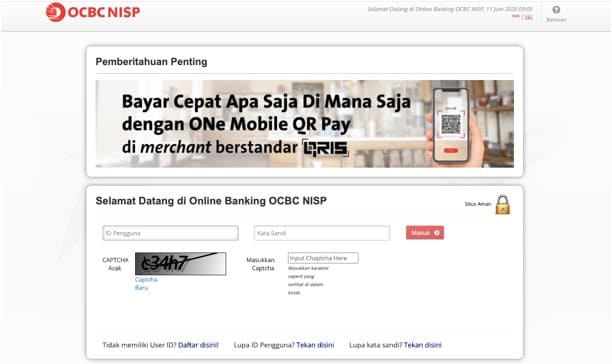
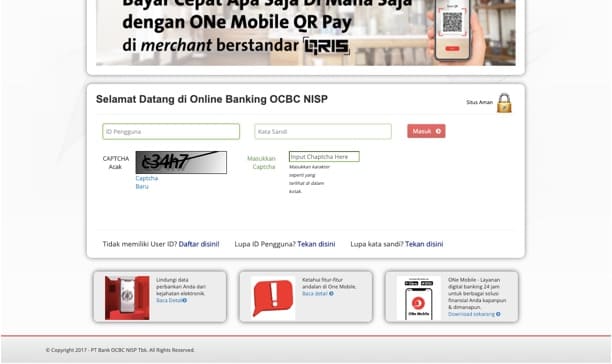
1. Click “Login” on the main page, then click “Register Now”
2. Enter your OCBC Debit Card number
3. Enter your email address registered with Bank OCBC
4. Enter your mobile phone number registered with Bank OCBC
5. Enter your date of birth
6. Enter the Captcha code
7. Enter your OCBC Debit Card PIN number
8. User ID will be displayed on your mobile screen while the password will be sent directly via SMS to your mobile number


OCBC ATM
1. Choose “Other Transactions” on the ATM screen, then choose the “ADM/e-Banking Registration”
2. Click “Online Banking” and choose “Registration” menu
3. Enter your mobile number that will be used to receive One Time Password (OTP)
4. Your User ID and password will be printed on the ATM receipt


Bank OCBC Branches
1. Visit the nearest branch of Bank OCBC
2. Complete Internet Banking OCBC registration form
3. Service Assistant will send User ID via SMS to your mobile number registered with Bank OCBC, while password will be sent directly to your email address

Note:
User ID of OCBC Internet Banking also can be used on OCBC mobile application

What should I do if I forget my OCBC Internet Banking User ID?
OCBC mobile
1. Click "Enter" on the main page, then click "Forget User ID"
2. Enter your OCBC Debit Card number
3. Enter your email address registered with Bank OCBC
4. Enter your date of birth
5. Enter your OCBC Debit Card PIN number
6. User ID will be sent via SMS to your mobile number

OCBC mobile Internet Banking
1. Click "Forget User ID" on the main page
2. Enter your OCBC Debit Card number
3. Enter your email address registered with Bank OCBC
4. Enter your date of birth
5. Enter the Captcha code
6. Enter your OCBC Debit Card PIN number
7. User ID will be sent via SMS to your mobile number


ATM OCBC
1. Choose “Other Transactions” on the ATM screen, then choose the “ADM/e-Banking Registration”
2. Click “Online Banking” then click “Check User ID”
3. Your User ID will be displayed on the ATM screen and password will be printed on the ATM receipt
How much is the transaction fee on Internet Banking?

Transaction  Fee
Fund Transfer

Interbank Transfer (Online) IDR 6,500
Interbank Transfer (LLG / SKN) – IB / MB only IDR 2,000
Interbank Transfer (RTGS) – IB / MB only IDR 25,000
Telegraphic Transfer    
> Telex fee IDR 75,000
> Provisi fee   No Charge
> Full Amount fee    
    - USD USD 25
    - EUR EUR 20
    - AUD AUD 30
    - GBP GBP 15
    - HKD HKD 300
    - SGD SGD 25
    - CNY CNY 200
    - CAD CAD 25
    - CHF CHF 15
    - NZD NZD 45
    - JPY JPY 4,500
Bill Payment    
PLN Postpaid IDR 2,000
Telkom / Indihome IDR 2,500
Rumah Zakat IDR 2,500
Credit Card (excluding DBS ex-ANZ, Citibank, Danamon, Permata) IDR 2,500
DKI Tax IDR 5,000
PDAM IDR 2,500
PDAM Kota Tangerang IDR 3,000
Top Up Go-Pay IDR 2,000
OVO IDR 1,500
Credit Top Up Purchase    
PLN Prabayar (Token) IDR 2,000
Telkomsel IDR 1,500
XL IDR 1,500
Indosat IDR 1,500
*if not stated in the Table of Fees above, other payments & purchases are free of charge
What is the transaction limit on Internet Banking?

TYPES OF TRANSACTION CURRENCY
IDR Valas
OCBC Intrabank Transfer    
To own account
IDR 2,000,000,000 USD 100,000 (equivalent) / Month*
To other OCBC account IDR 1,000,000,000 USD 100,000 (equivalent) / Month*
Interbank Transfer        
Online IDR 200,000,000/day
100,000,000/transaction
   
BI FAST IDR 1,000,000,000/day
250,000,000/transaction
   
LLG IDR 200,000,000 N/A
RTGS IDR 1,000,000,000    
Telegraphic Transfer     USD 100,000 (equivalent) / Month*
         
Payment IDR 500,000,000 N/A
         
Purchase IDR 10,000,000 N/A


* Monthly transaction limit


Types of Funds Transfer to Other Banks :

  • Online is an inter-bank transfer in real time, so it goes directly to the recipient's account
  • LLG (Lalu Lintas Giro) is an inter-bank transfer mechanism by using clearing facility
  • RTGS or Real Time Gross Settlement is a real time inter-bank transfer mechanism, so it goes directly into the recipient's account
  • TT or Telegraphic Transfer is transfer activity mechanism for overseas
  • BI FAST Transfer is the latest fund transfer service issued by Bank Indonesia to support real-time, efficient, safe and available payments 24 hours a day per week

Can't find the question you're looking for?

View Other Questions

Login to start online transactions

It's time to enjoy the convenience of online transaction

Login Icon Chevron