Maaf, terjadi kesalahan pada komponen ini. Silakan cek halaman-halaman lain atau kunjungi homepage. Activity ID 2ebb41b4c95743b0a0ba6b6944b52bff
OCBC - Life Goals – Rencanakan & Capai Tujuan Finansial Anda
Maaf, terjadi kesalahan pada komponen ini. Silakan cek halaman-halaman lain atau kunjungi homepage. Activity ID e73284b7872b44f2b08793a7d9d4e016
Maaf, terjadi kesalahan pada komponen ini. Silakan cek halaman-halaman lain atau kunjungi homepage. Activity ID a95d53ee9913472d81e35c45213a888a
Maaf, terjadi kesalahan pada komponen ini. Silakan cek halaman-halaman lain atau kunjungi homepage. Activity ID 8a32c834a284443d979da43db8100e1c
Life Goals

Life Goals

Achieve Financial Goals Easier With Life Goals Feature On OCBC mobile

Maaf, terjadi kesalahan pada komponen ini. Silakan cek halaman-halaman lain atau kunjungi homepage. Activity ID e2ad58fe3f114e248ad3d315240c932c
Maaf, terjadi kesalahan pada komponen ini. Silakan cek halaman-halaman lain atau kunjungi homepage. Activity ID 455e8d6d74614a28b5eea18f6c451f03
Maaf, terjadi kesalahan pada komponen ini. Silakan cek halaman-halaman lain atau kunjungi homepage. Activity ID c709028602704305b27e326f28e03e30
Maaf, terjadi kesalahan pada komponen ini. Silakan cek halaman-halaman lain atau kunjungi homepage. Activity ID d518f9e421e94d67b6c8c3ce1d9ebc7e

Achieve Life Goals With Various Selected Savings & Investment Product

TAKA

With the freedom to choose target funds to make your dream come true

Mutual Funds

Easy and safe investment for your future

Bonds

Alternative investment to increase your assets

Deposits

Time deposits that provide optimal benefits

Gold Investment

coming soon

6 Steps to start by creating life goals on OCBC mobile

1

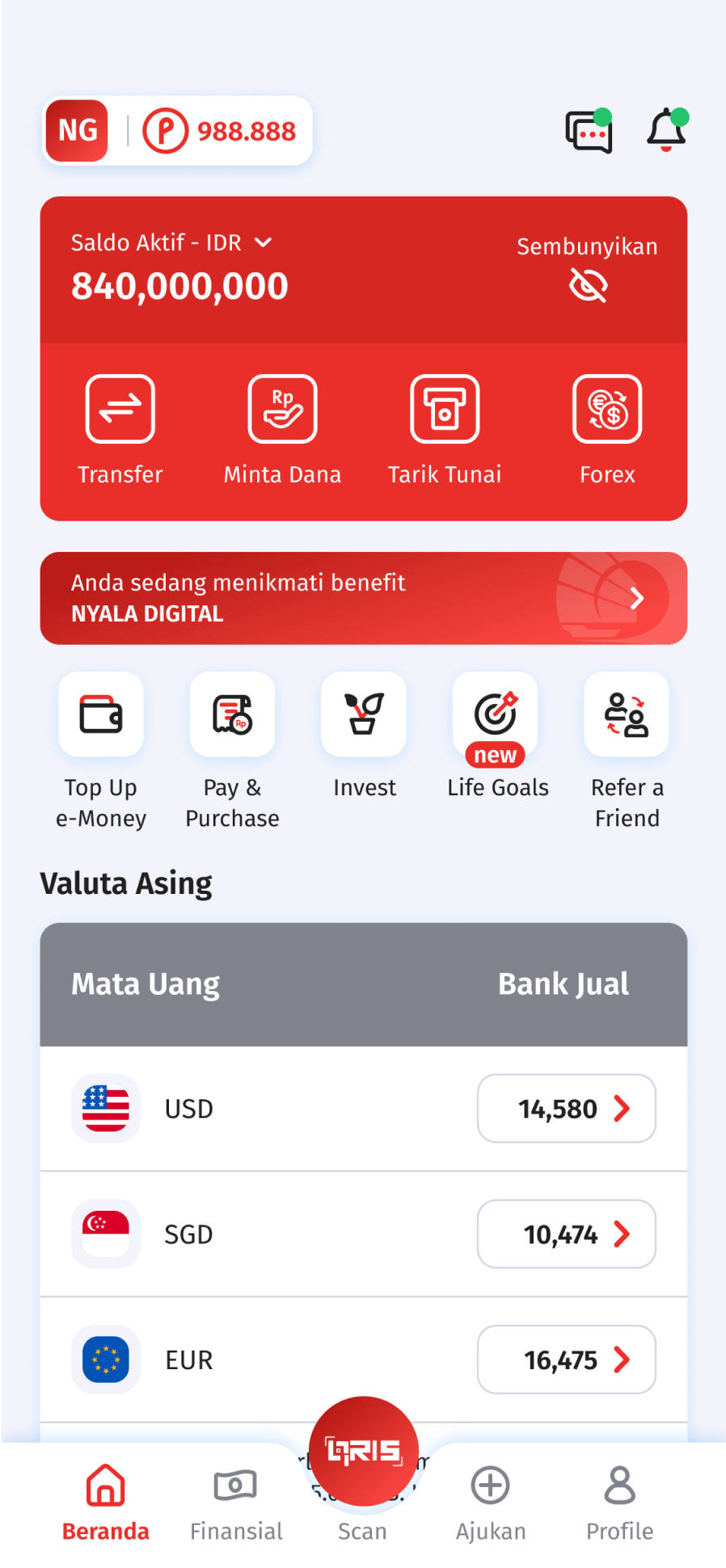
Step 1

Login to OCBC mobile application, then click Life Goals menu
2

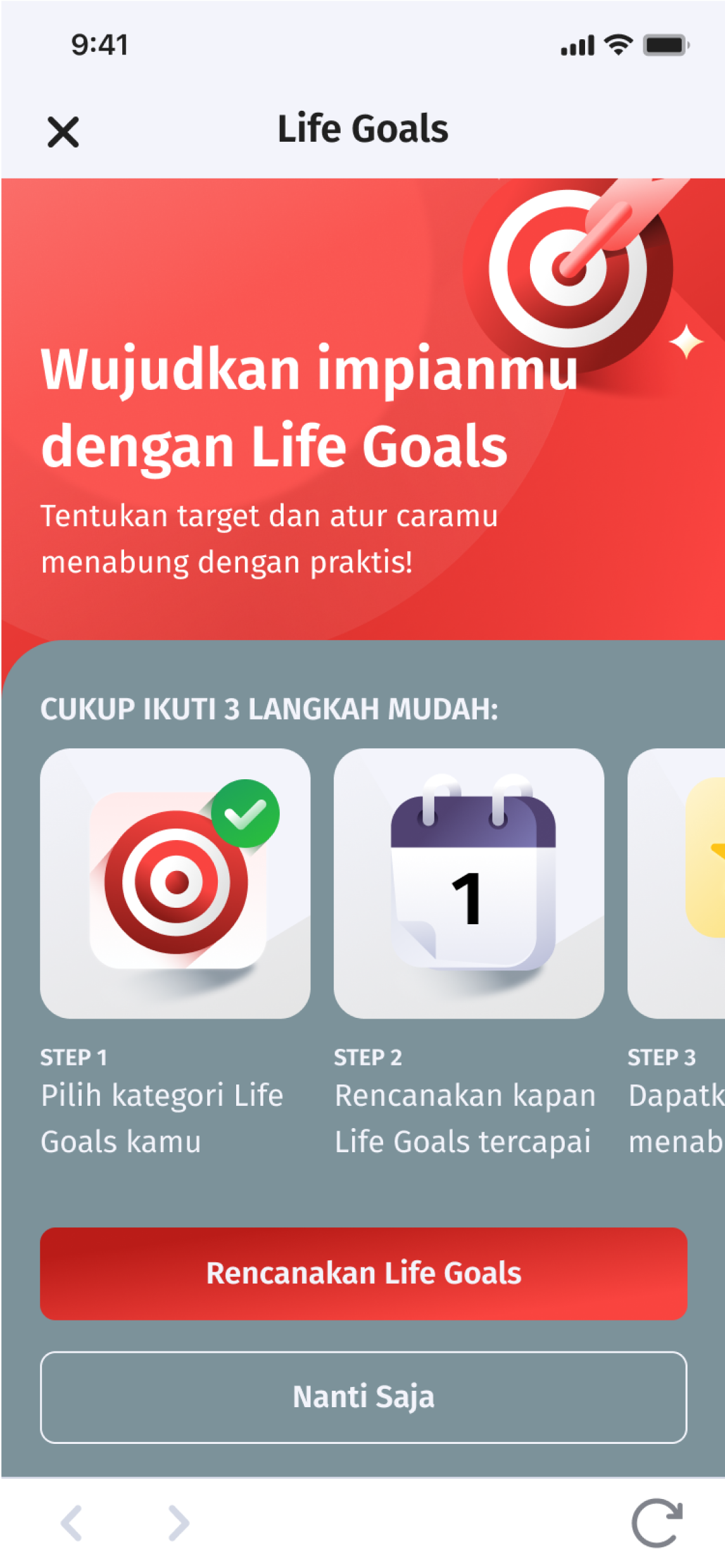
Step 2

Click Rencanakan Life Goals to start setting target and making life goals
3

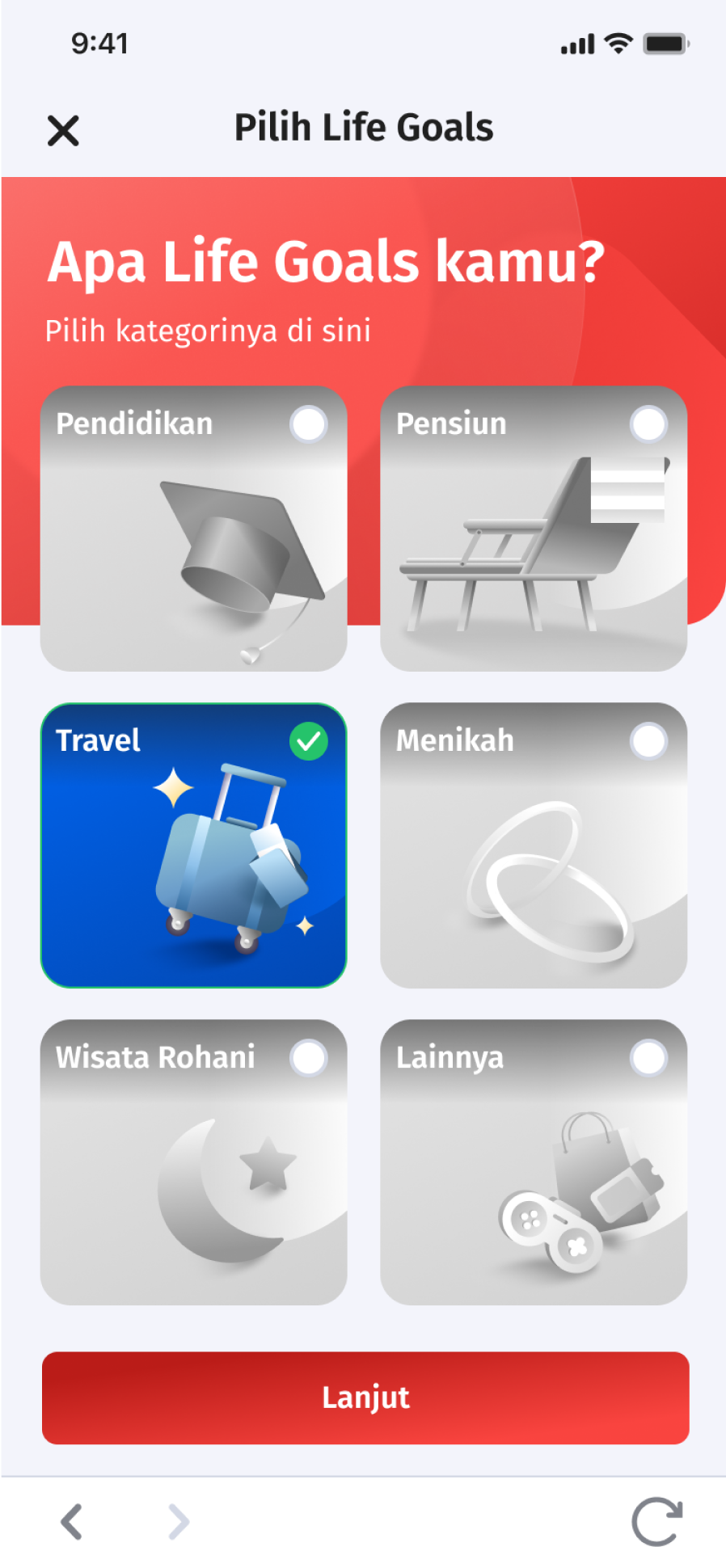
Step 3

Select the Category Life Goals according to your needs and click continue
4

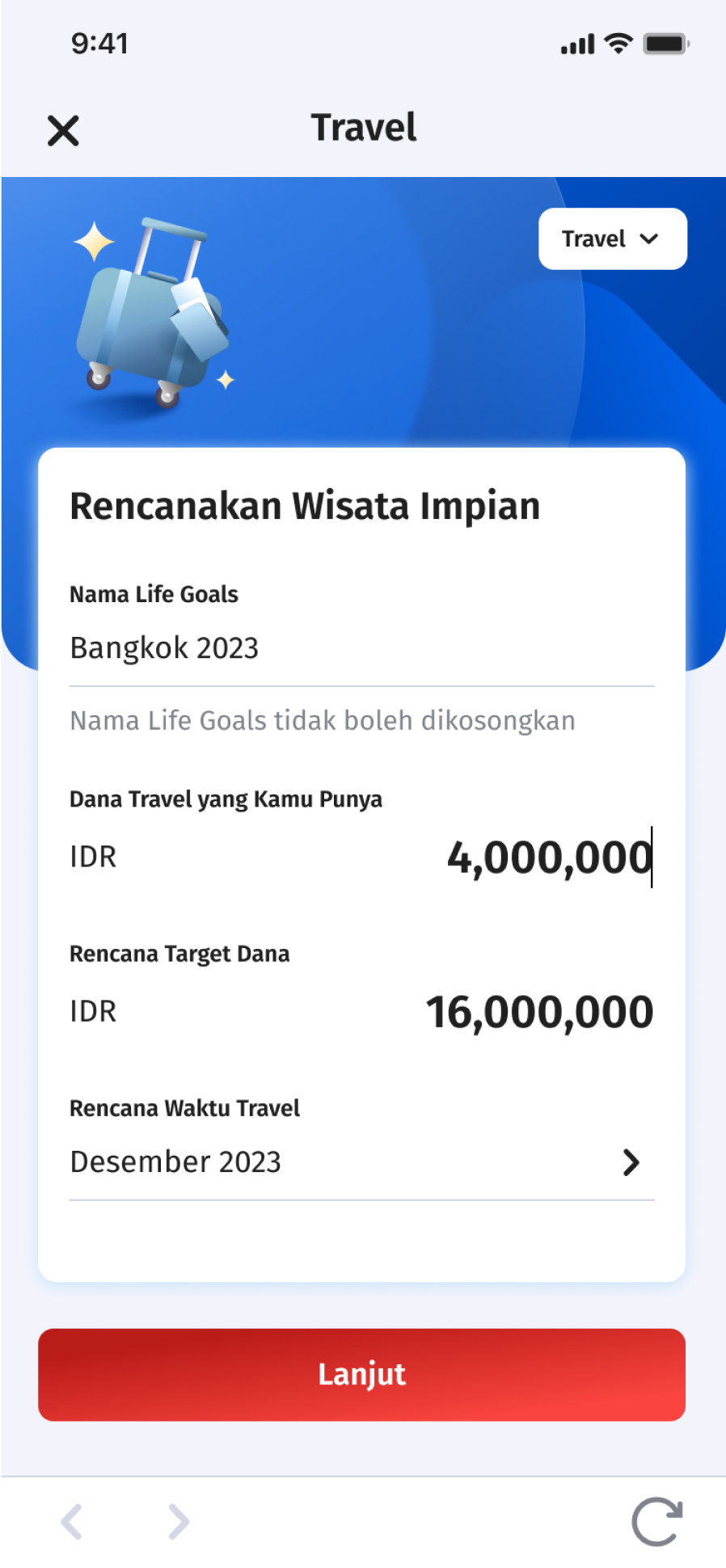
Step 4

Complete the data according to the instructions then click Continue
5

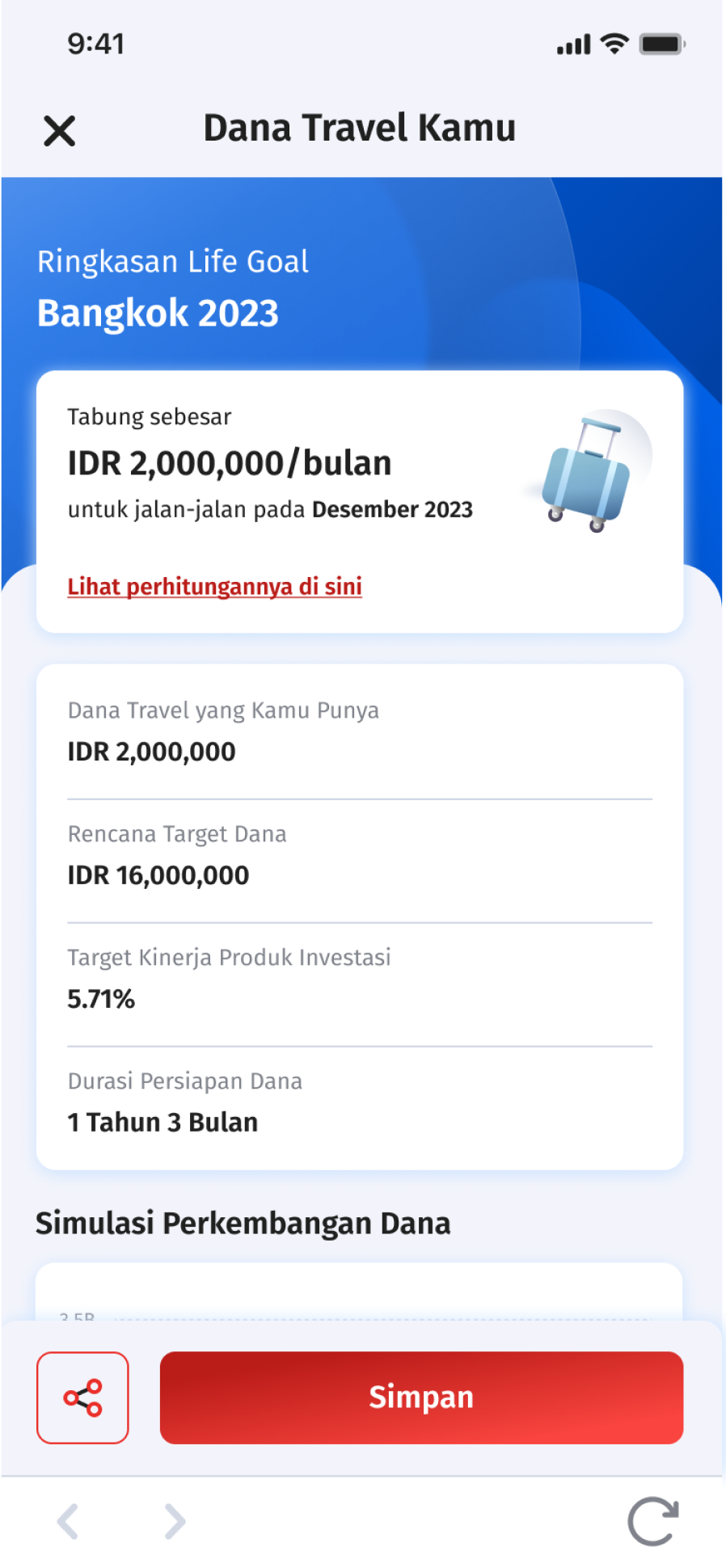
Step 5

Check the summary of your Life Goals then click Save
6

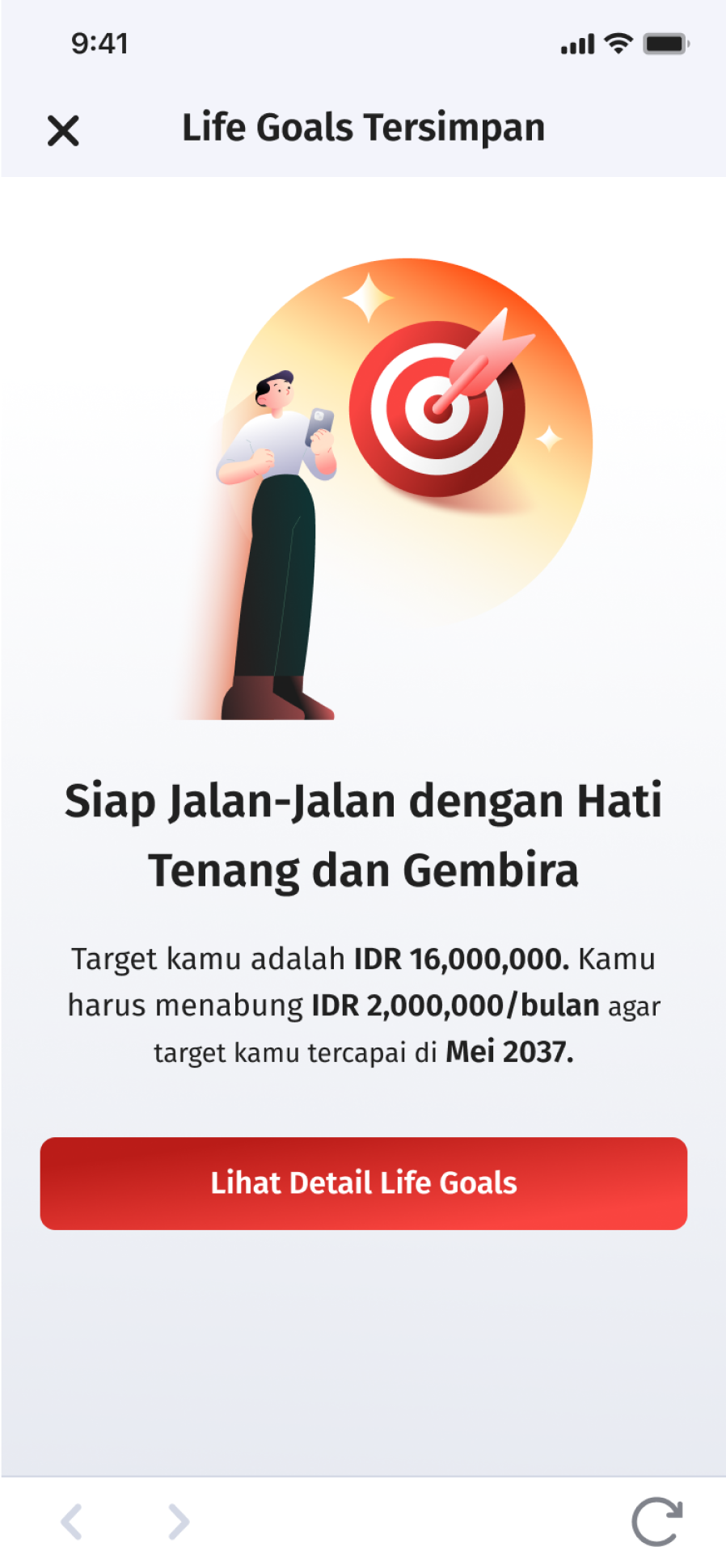
Step 6

Your life goals have been saved


Buy or link products with Life Goals

1

Step 1

Click Buy Investment Product

2

Step 2

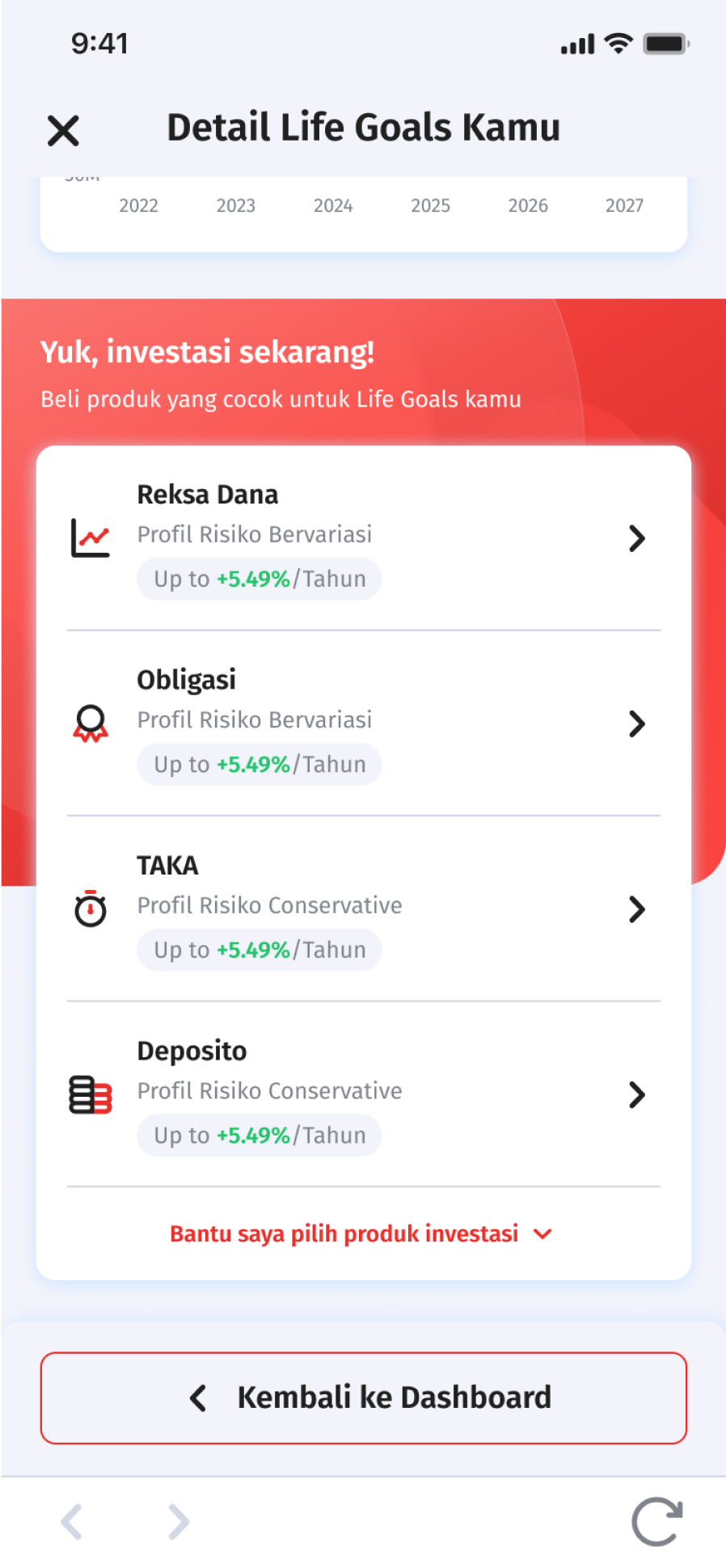
Choose investment products. If confused to choose the right product click “Help Me Choose”
3

Step 3

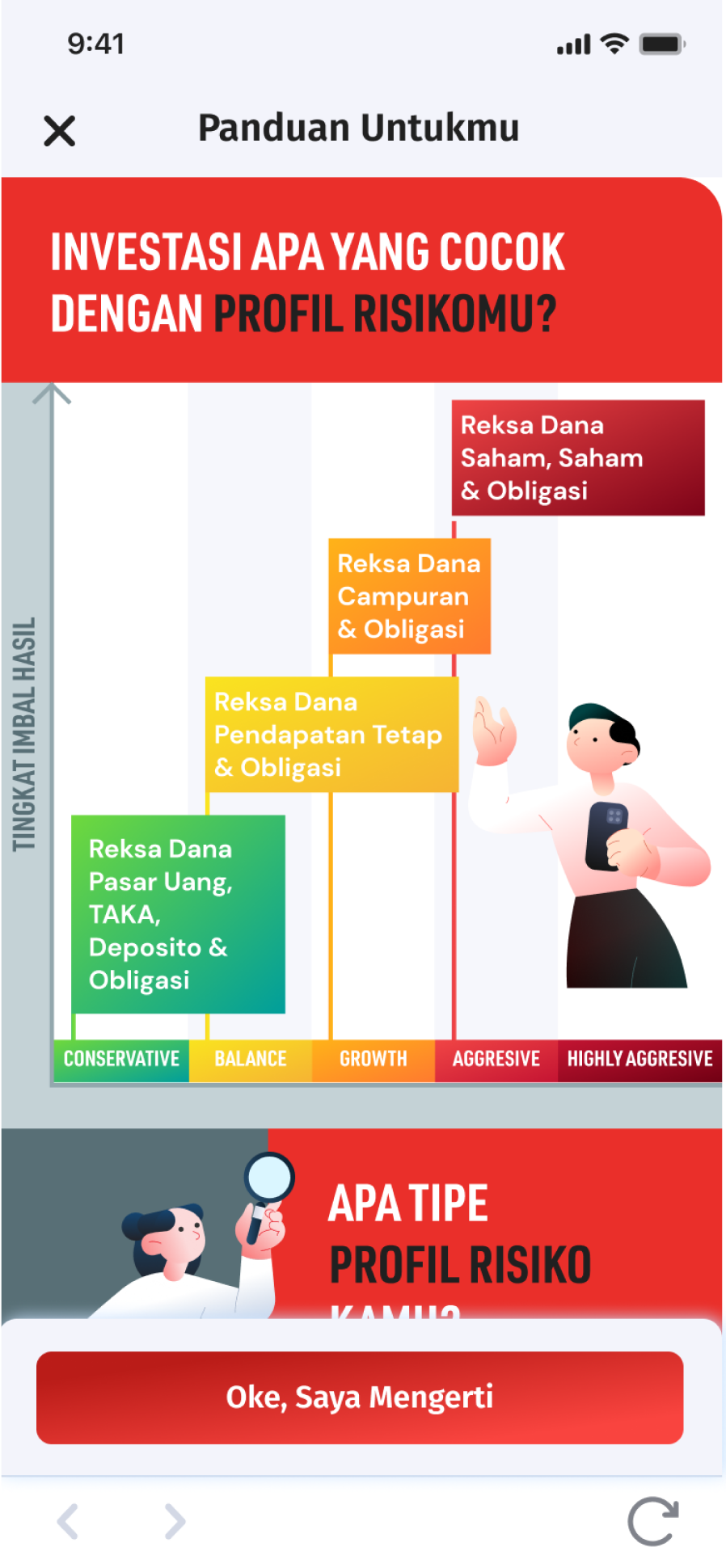
Read the product guide, click “Ok, I Understand” and choose an investment product that matches with your life goals
4

Step 4

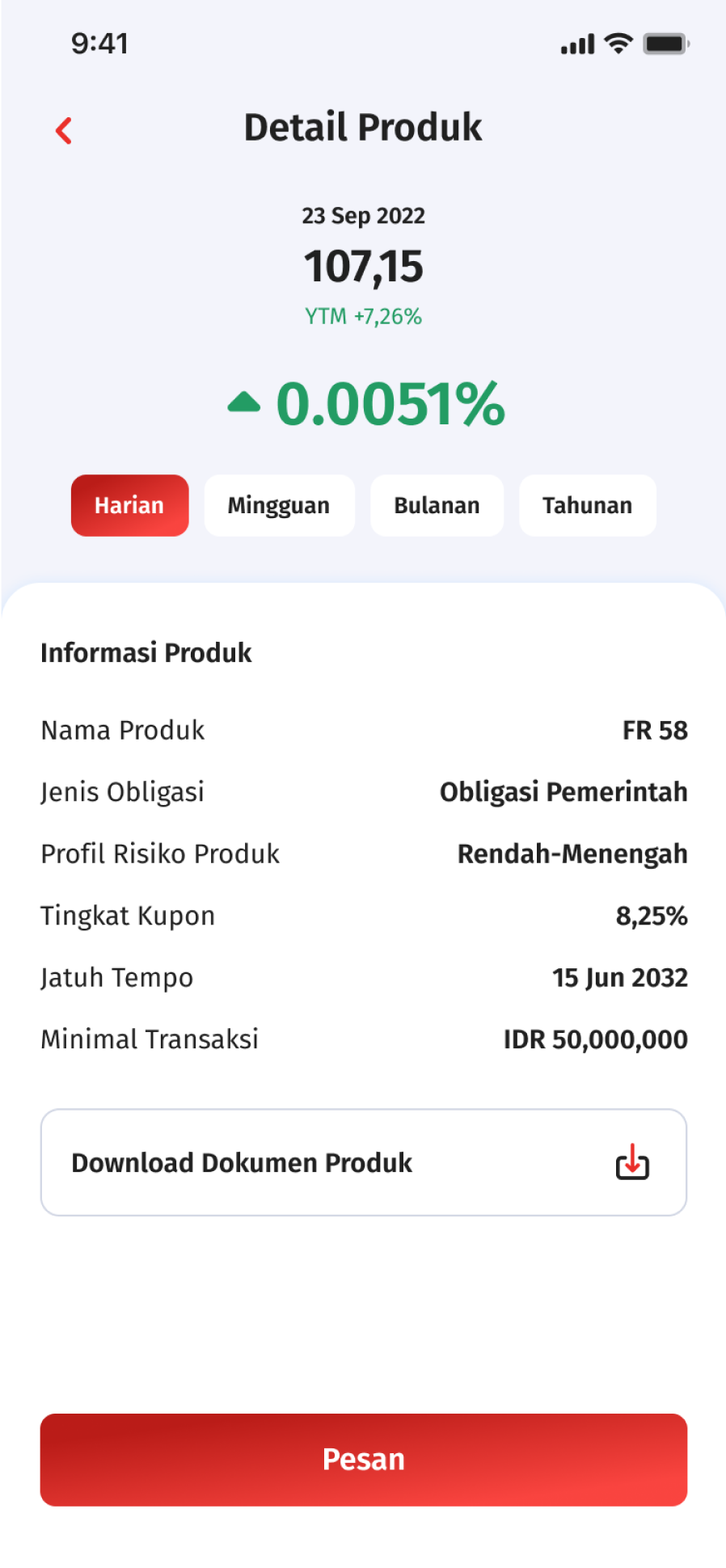
Click Order and Continue

5

Step 5

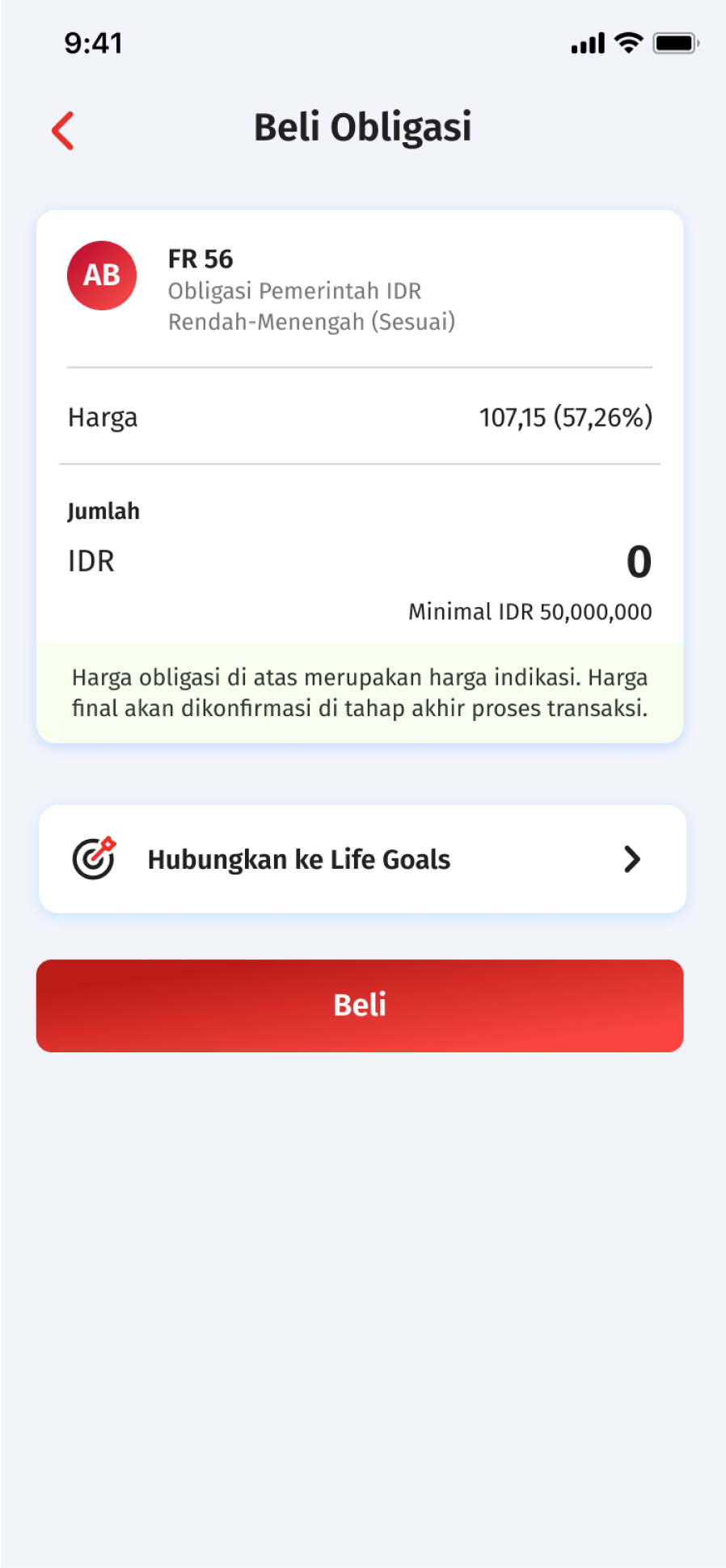
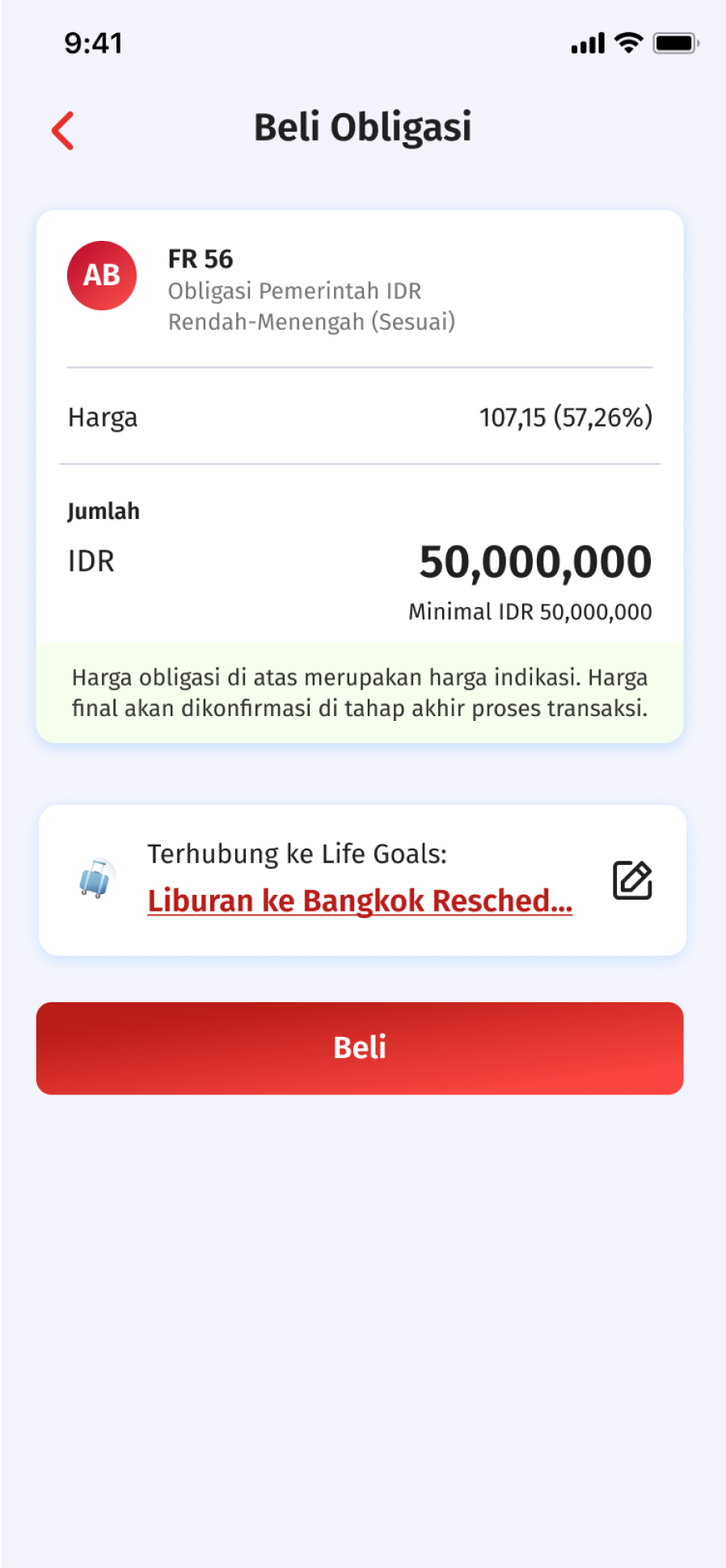
Click Link to Life Goals, then click one of Life Goals that you want to link
6

Step 6

Life Goals successfully linked and click Buy and continue the transaction until finish
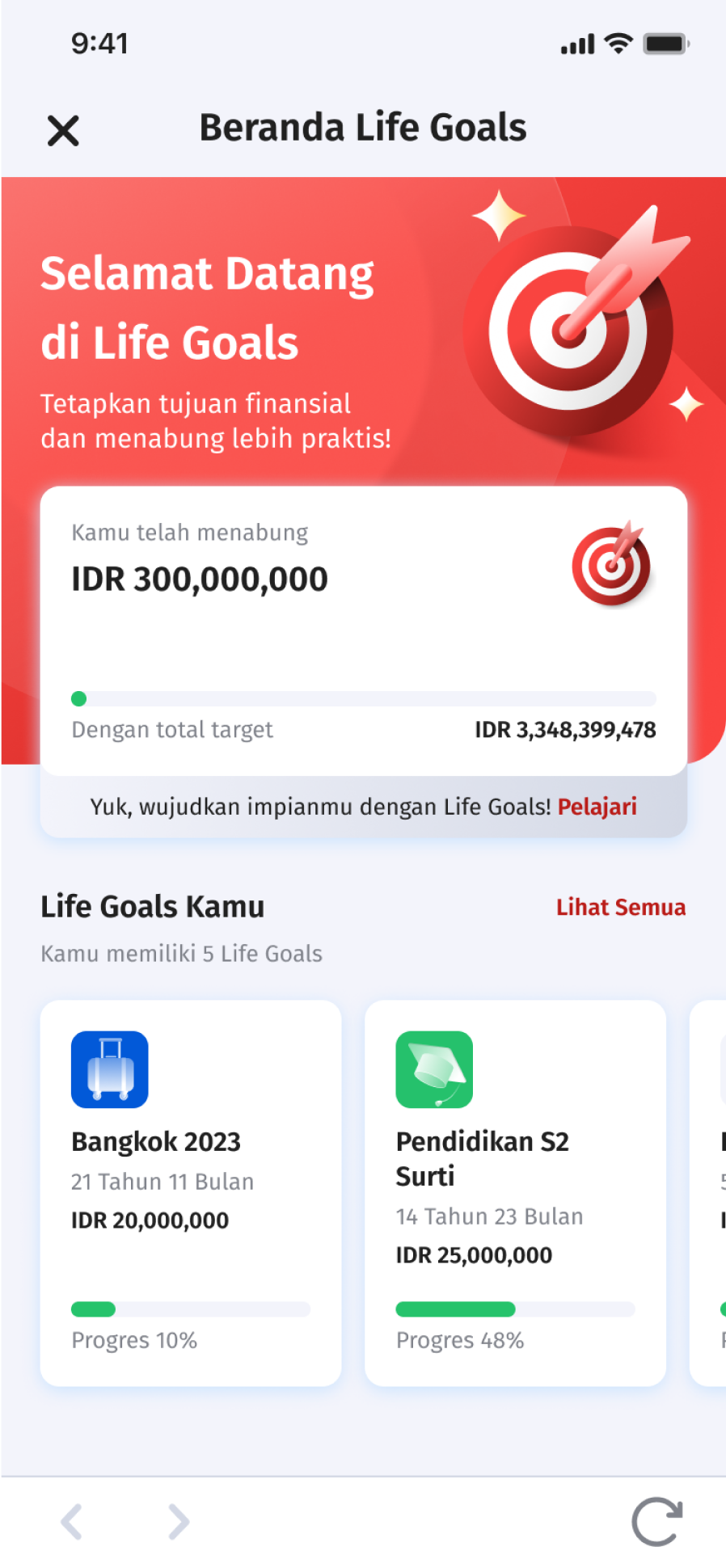

Track your Life Goals progress on OCBC mobile

1

Step 1

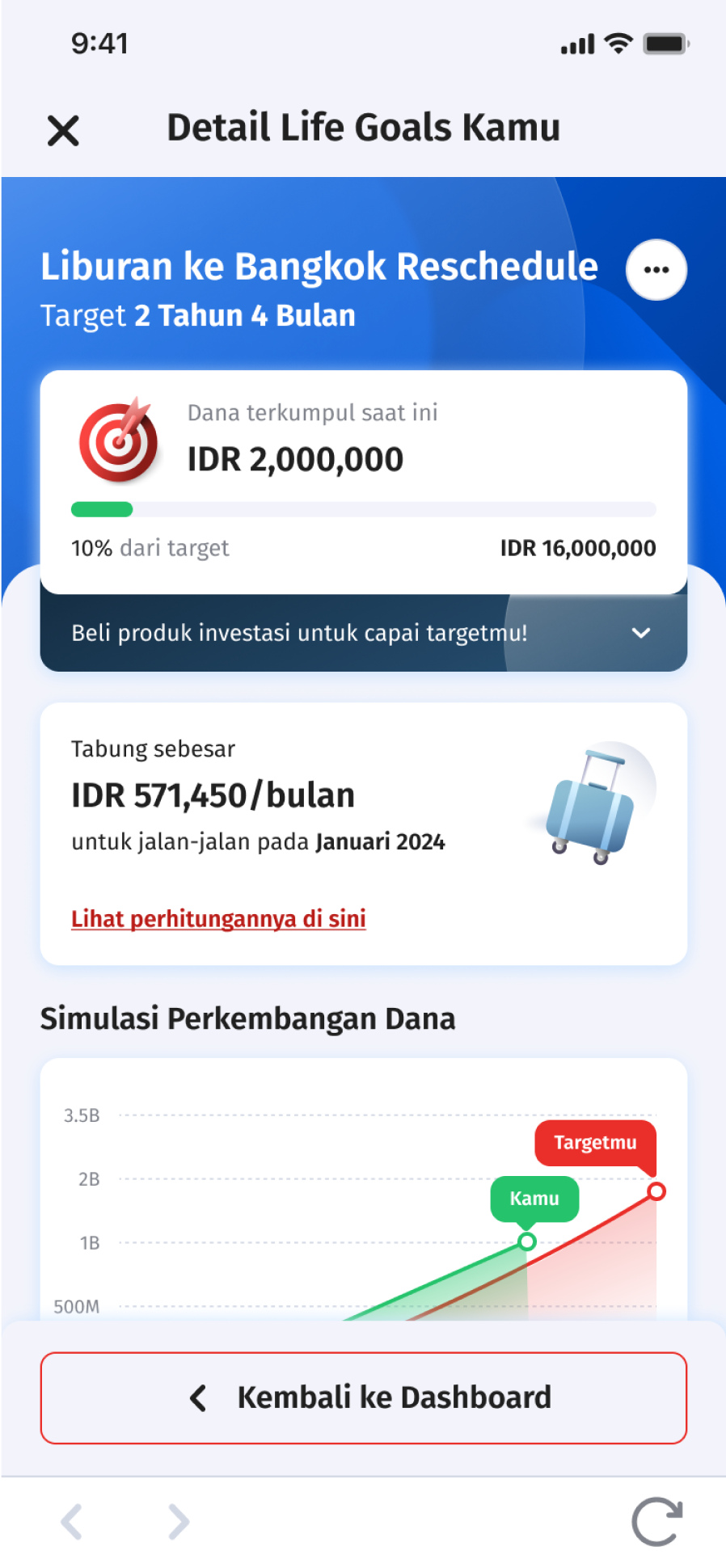
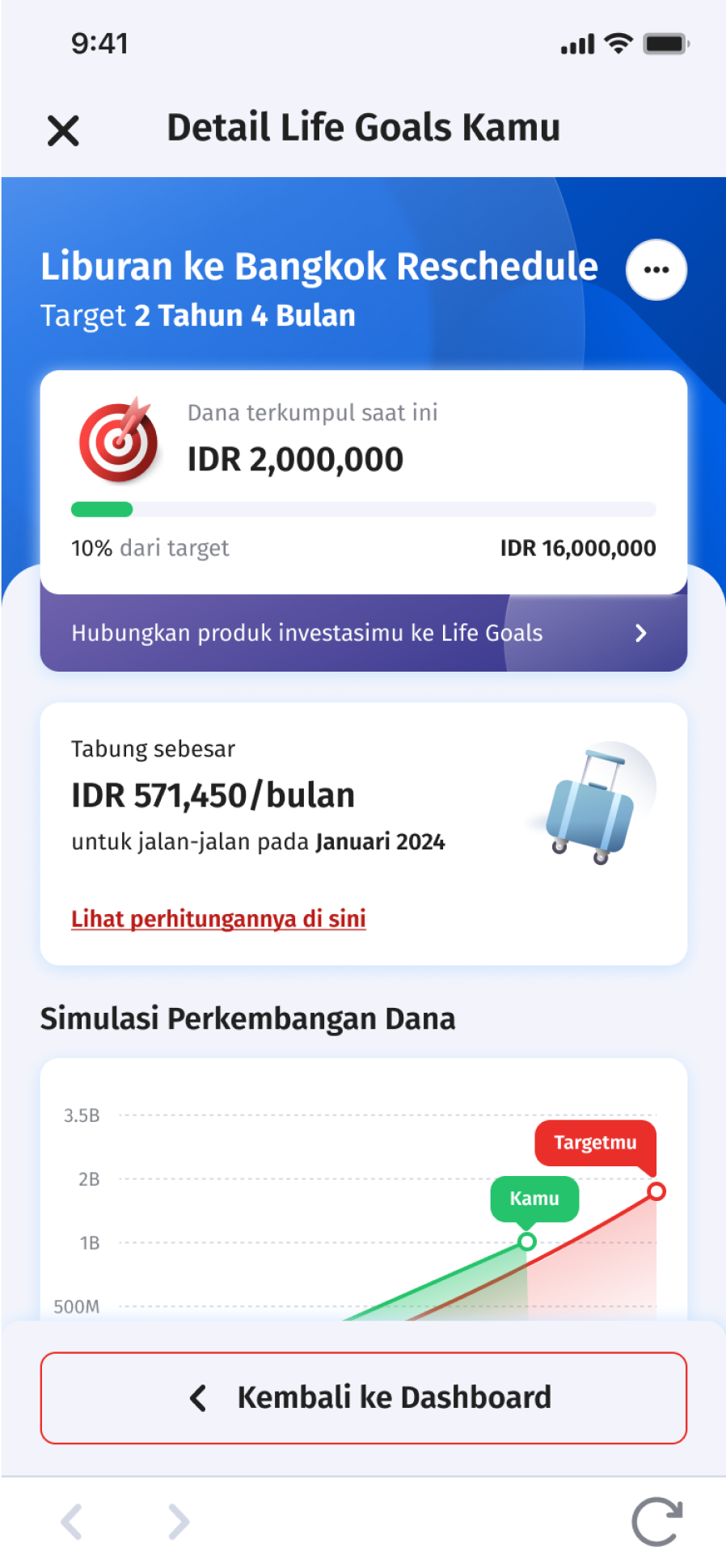
See and monitor the accumulation of all Life Goals, click on one of the Life Goals to see more details
2

Step 2

Then the details of one of your life goals appear
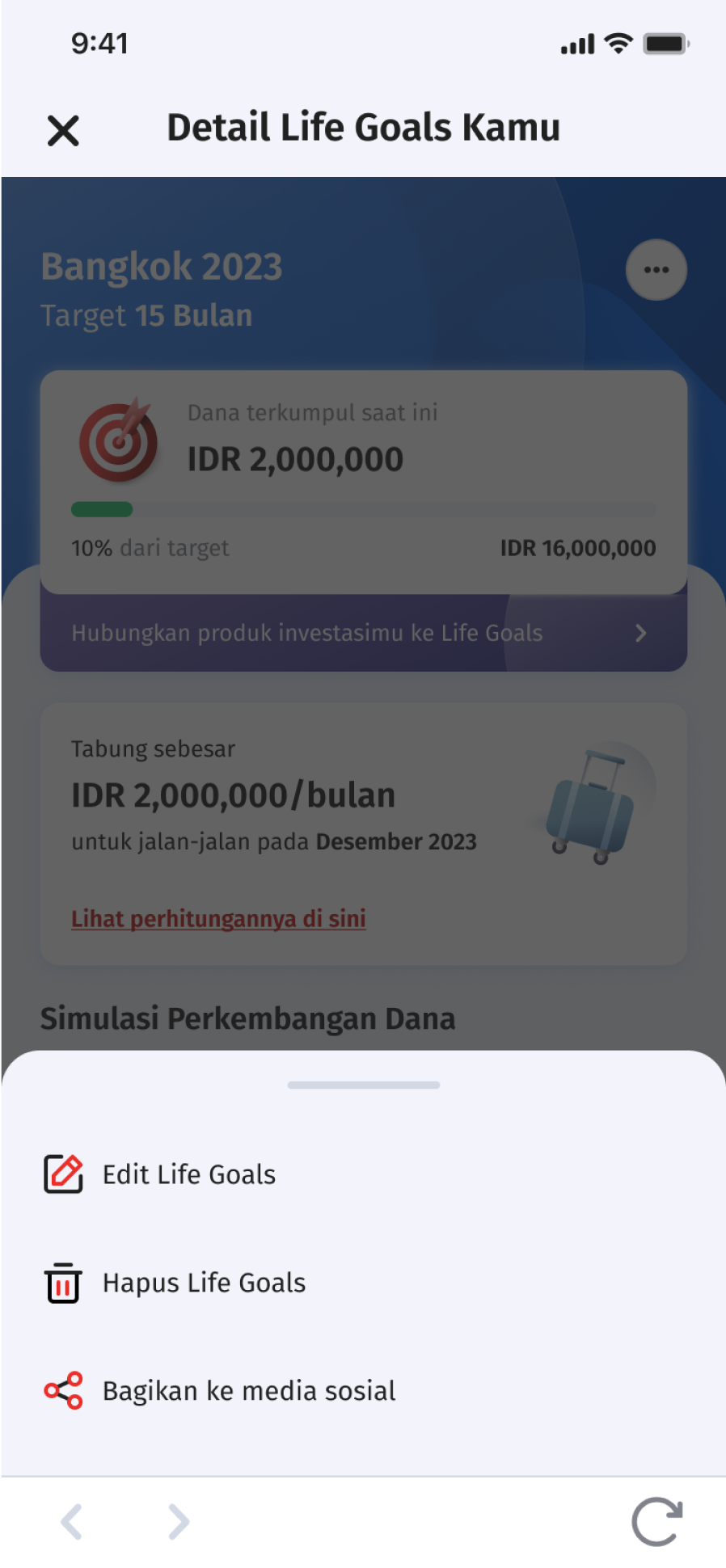
3

Step 3

To edit, delete or share your Life Goals, click the three dots in the upper right corner

FAQ

Frequently Asked Questions about Life Goals

A: What are Life Goals?

B: Life Goals is OCBC mobile’s feature which helps you to manage way of saving become easier. You can create Life Goals according to your needs and connect your investment products to meet your target funds.

A: Why should I use Life Goals?

B: With Life Goals, you can be more disciplined in investing thus your investment goals or long-term goals in your life will be more focused and can be realized through Life Goals feature which monitored and customized.

A: How to create Life Goals?

B: Step to Create Life Goals:

  1. Choose Life Goals menu in OCBC mobile’s dashboard
  2. Choose ‘Plan Life Goals’ and select Life Goals category
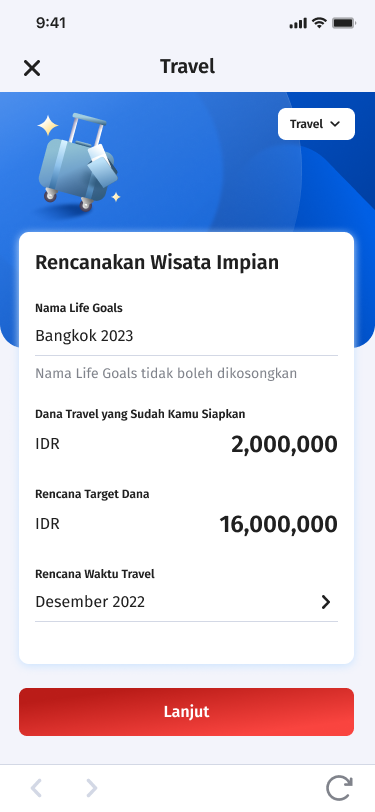
  3. Complete Life Goals data (name of Life Goals, funds owned, funds target plan & time plan)
  4. Select ‘Continue’ to see summary & calculation of Life Goals and click ‘Save.’
A: What kind of Life Goals that I can create?

B: You can choose these categories: Pension Fund, Education, Travel, Marriage, Religious Tourism & many more.

A: What if I want to create Life Goals that don’t fit the available categories?

B: You can choose ‘Others’ category and filled the Life Goals data accordance to your needs such as business capital, medical expenses, and more.

A: When inputting ‘Funds That I Have Prepared’ does the amount that inputted must match the value of the assets that I have in OCBC mobile?

B: No, I am free to input any nominal here according to the funds that I have been prepared—not necessarily according to the value of the assets owned in OCBC mobile.

The example of filling funds that I Have Prepared’:

FAQ Life Goals Q6

A: When create Life Goals, will the value of assets be directly counted in the achievement of those Life Goals?

B: No, achievement in Life Goals shown on the goal tracker, will only updated according to the nominal entered in the ‘Funds you have prepared’ and according to the value of the investment product that has been linked to Life Goals.

Display goal tracker in Life Goals details:

FAQ Life Goals Q7

A: What is meant by a ‘goal tracker’ in the Life Goals detail?

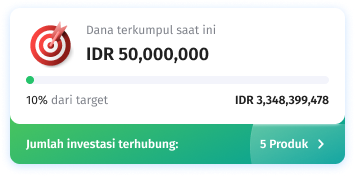
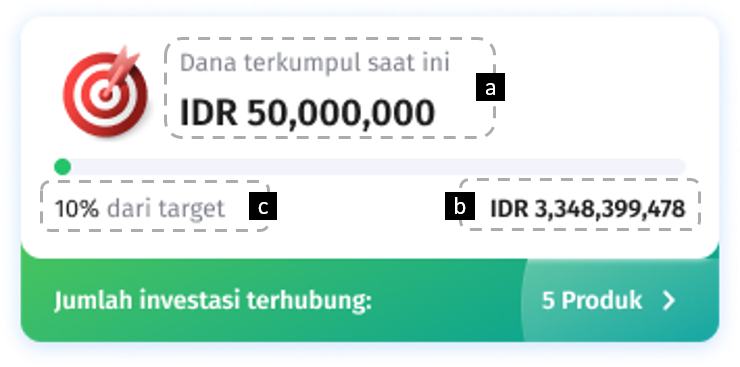
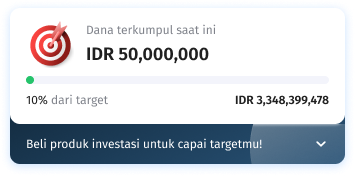
B: Goal tracker is an indicator of the achievement of your Life Goals that shows:

  • Funds raised now (a),
  • Funds target nominal (b), and
  • Percentage (%) the achievement of the target of the fund (c)

FAQ Life Goals Q7

A: What investment product can be linked to?

B: Currently, Life Goals can only be linked to products Reguler Saving Plans, Deposit, Mutual Funds and Bond.

A: Can 1 (one) investment product be linked to more than 1 (one) Life Goals?

B: No, 1 (one) product can only be linked to 1 (one) Life Goals.

A: Can I change the investment product linked to Life Goals?

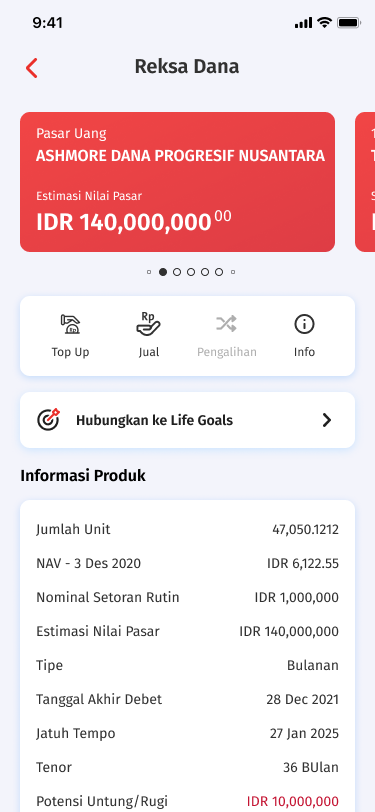
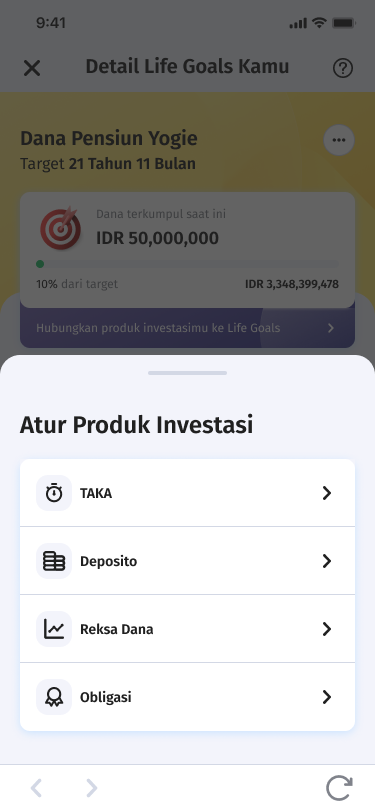
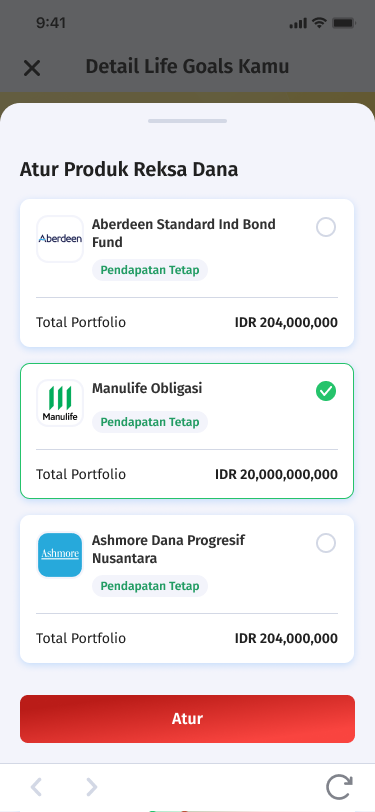
B: You can link or unlink investment product in Life Goals. You can set the investment product that you want to link your Life Goals, via the product page on OCBC mobile, via banner or slider on the Life Goals detail page.

Link product via OCBC mobile:

FAQ Life Goals Q7


Link product on Life Goals detail banner:

FAQ Life Goals Q7

or on Life Goals detail slider:

FAQ Life Goals Q7

A: If I have a deposit that has been linked to my Life Goals, then I withdraw it before the due date, will the goal tacker decrease?

B: Yes, if there is a deposit product that is due date or withdraw before the date, the goal tracker will be reduced according to the amount returned to savings.

A: Will I get a reminder notification if my Life Goals haven’t been linked to the product or haven’t reached the target funds?

B: Currently there is a banner under the goal tracker in the Life Goals detail that inform you:

  1. Buy a product if you don’t have an investment product, and
  2. Linking product if you already have investment product

Banner A:

FAQ Life Goals Q7

Banner B:

FAQ Life Goals Q13B
A: What are the Life Goals reminder notification that I will receive?

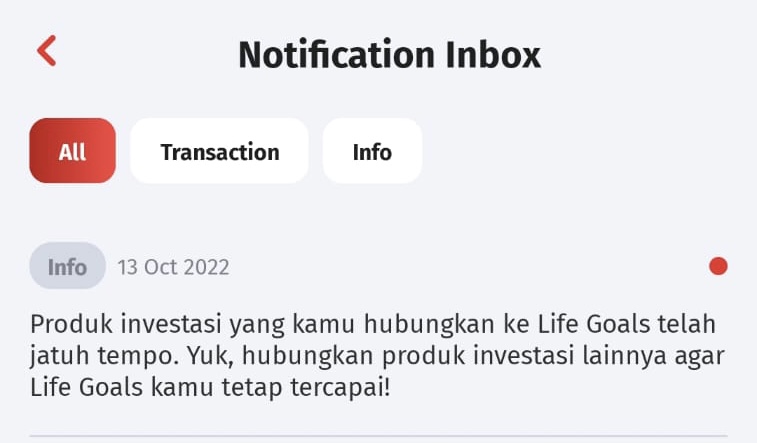
B: Your will get notification if there is a product Reguler Saving Plans or Deposit linked to your Life Goals but is due date, so the product will automatically be disconnected from your Life Goals while reducing the calculation in the goal tracker.

Notification display for Reguler Saving Plans when due date:
FAQ Life Goals Q13B
A: Can 1 (one) Life Goal be shared and linked to my product investment and my friend’s product investment?

B: Currently, Life Goals cannot be shared with others. You can only link your own investment product to the Life Goals you have created.

A: Is the goal tracker chart be updated in real time?

B: The goal tracker data on the chart will be updated every time you open the Life Goals detail.

A: Why is the inputted fund target different in nominal from the one shown in Life Goals?

B: The target fund is adjusted to the inflation assumption from data of the latest 10 years, and the estimated performance of investment products.

A: How do Life Goals determine the amount that must be saved every month to get my target funds?

B: Factor for calculating Life Goals:

  • The funds I have now
  • The Investment of value linked to Life Goals
  • Investment products performance recommendations
  • Inflation assumption from data of the latest 10 years
  • Benefit from 50% monthly bank interest rate + 50% IHSG based on the data of the latest 10 years

Can't find the question you're looking for?

View Other Questions
Maaf, terjadi kesalahan pada komponen ini. Silakan cek halaman-halaman lain atau kunjungi homepage. Activity ID 72e35eaa89794d5881effee9e74e114e
Maaf, terjadi kesalahan pada komponen ini. Silakan cek halaman-halaman lain atau kunjungi homepage. Activity ID 97f0af41454e4850a781645842c3c64c