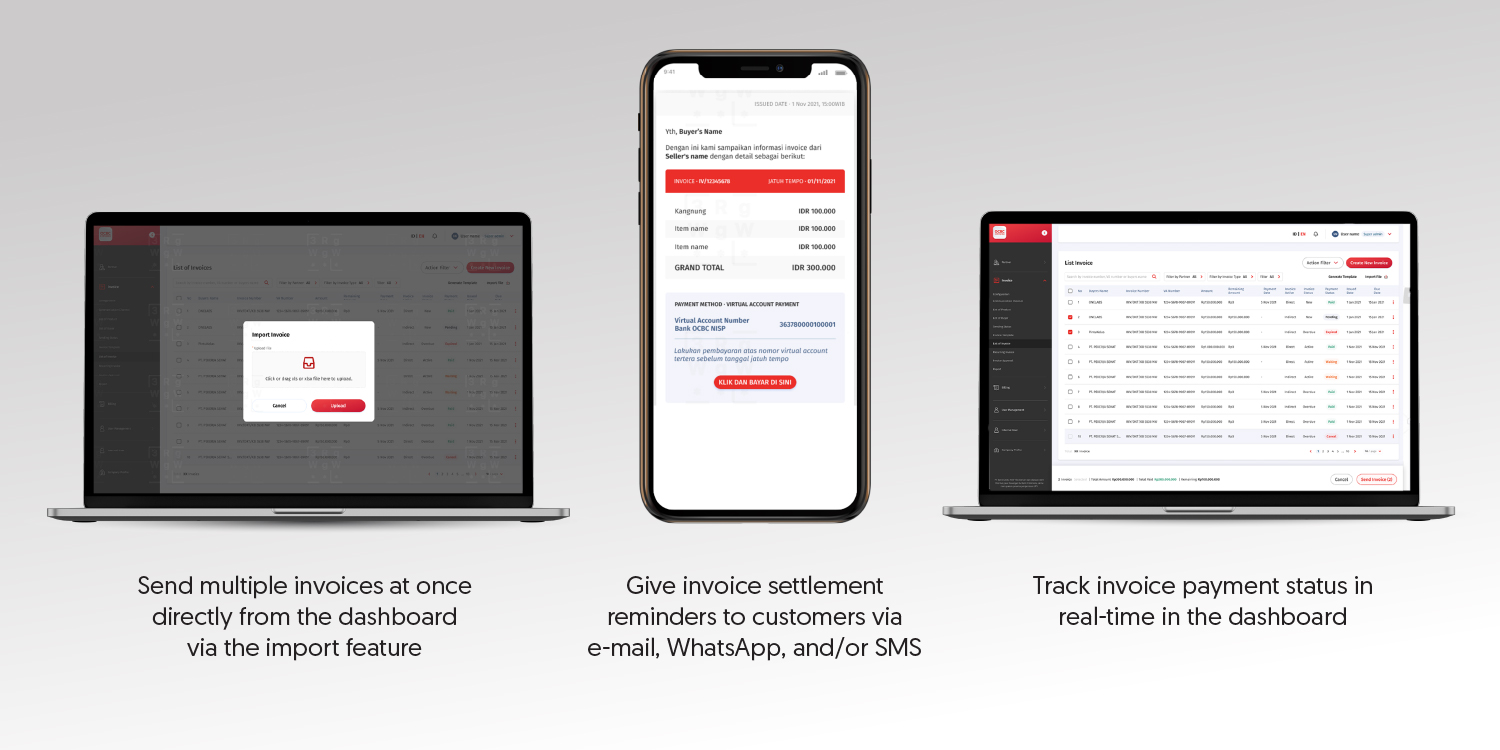
Easily create and send multiple invoices at once directly from the dashboard
Send invoice notifications to customers automatically via email, WhatsApp, or SMS
Invoice status will be updated automatically and can be monitored at any time through the dashboard
Related information about Digital Invoice Management System
OCBC E-Invoice is a digital billing platform that allows customers to manage and send invoices quickly and efficiently to customers.
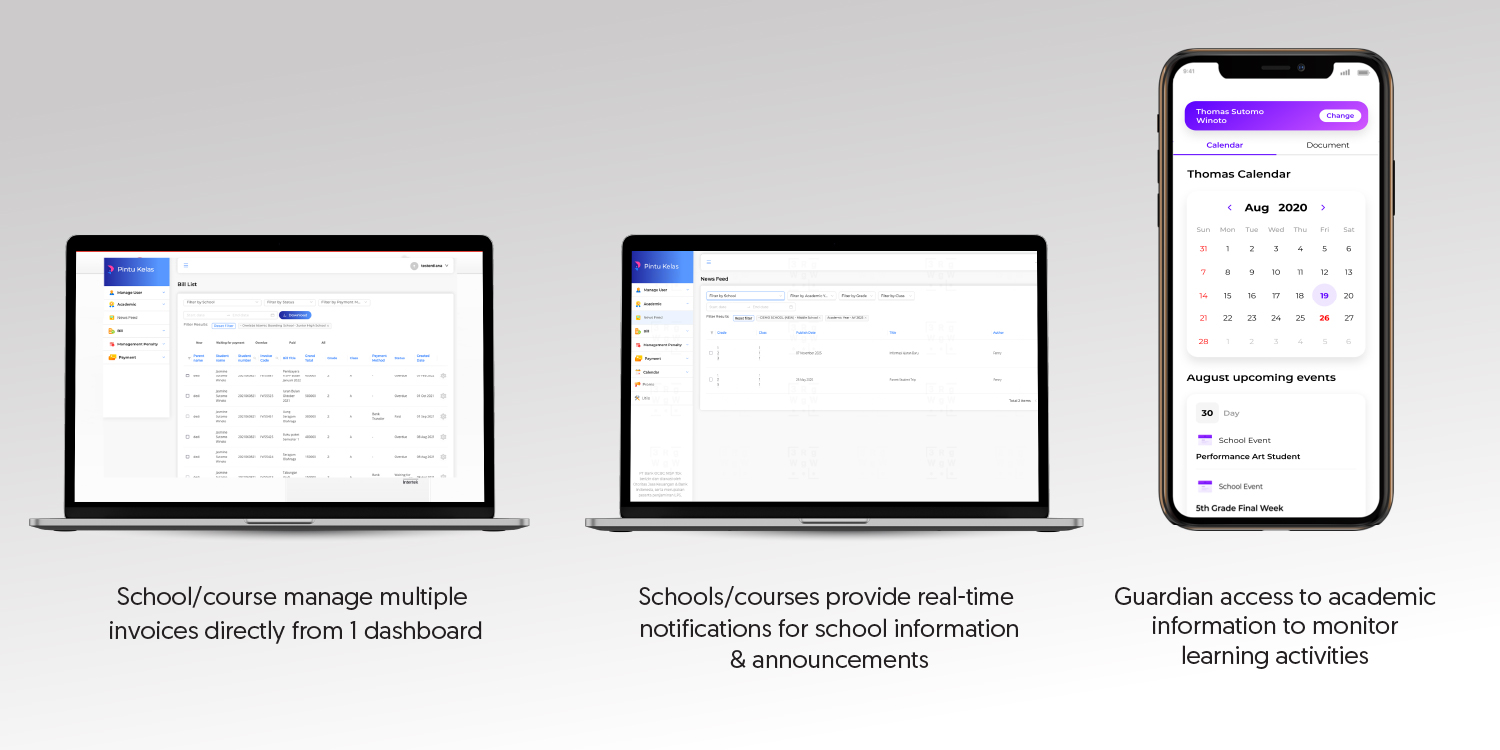
PintuKelas is an application designed specifically for Schools/Courses & Guardians, equipped with a wide range of features to improve the effectiveness of administrative, communication, and academic activities.
Follow these registration steps:
For further information, contact the Relationship Manager or TANYA OCBC at 1500-999 or +62-21-26506300 from abroad (#2 Business Customer), WhatsApp to 08121500999, or email to clientservices@ocbc.id.
Frequently Asked Questions about Digital Invoice Management System

Digital Invoice Management System is a digital platform service provided by the Bank for Customers, where the Customer can carry out invoice delivery via E-mail, SMS, and/or WhatsApp to their clients, monitor invoice payment status, and oversee reconciliation report on the dashboard, making the process of managing the Customer's invoices to clients or parties collaborating with them becomes more effective and efficient. Benefit the Customer can enjoy:
Registration for OCBC E-Invoice and PintuKelas can be done in the following ways:
Digital Invoice Management System can be used immediately after the Customer activates and receives an E-mail notification that the registration process has been successful.
Customers who use OCBC E-Invoice module:
Customers who use PintuKelas module:
Some of the data that needs to be input in the excel bill is as follows:
Customers who use the OCBC E-Invoice module need to fill in:
Customers who use the PintuKelas module need to fill in:
If the invoice has been sent to the Client, it is necessary to notify the relevant Client not to make payments for the wrong invoice. For previously incorrect invoices, the Customer can delete/archive the invoice first, then the Customer can upload a new invoice with the correct details. If the Customer does not immediately inform the Client of the billing error, then the risk of mispayment of the bill amount by the Client is the responsibility of the Customer.
The status of the invoice delivery has been successful/has not been sent to the Client can be seen on the Status menu on the Digital Invoice Management System Platform (PintuKelas & OCBC E-Invoice).
The transaction history of invoices that have been sent to the Client can be seen on the Transaction Report menu on the Digital Invoice Management System platform (PintuKelas & OCBC E-Invoice).
Transaction reports can be viewed on the Report menu on the Digital Invoice Management System Platform (PintuKelas & OCBC E-Invoice). On the transaction report, the Customer can see the invoice that has been successfully paid in full by the Client and can see the invoice that is due/not yet due.
Funds from each invoice payment will be directly credited in real-time to the Customer's current account.
Clients can do invoice payments via OCBC mobile, OCBC internet banking, or transfers from other banks.
For each Virtual Account number that is formed on one invoice number has a status, if the status of the VA number is already "Paid" then another payment attempt on the VA number will fail.
The sender's name depends on the channel used, among other things:
WhatsApp: OCBC E-Invoice / PintuKelas
SMS: OCBC Info
E-mail: notifikasi@ocbc.id
On the Login menu, click Forgot Password, enter the OTP code, then create a new password.
Customer can report the incident to Tanya OCBC at 1500-999, so that the Bank can conduct further investigations in accordance with the SLA that has been determined by the Bank.
Customers can submit questions or complaints through the contact center service which operates 24 hours a day to Tanya OCBC at 1500-999 or +62 21 26506300 (from overseas) (#2 Business Customers), WhatsApp to 08121500999, or e-mail to clientservices@ocbc.id.
Can't find the question you're looking for?
View Other QuestionsDownload OCBC mobile now!