OCBC mobile Access Recovery if you don't have an OCBC account
Pilih
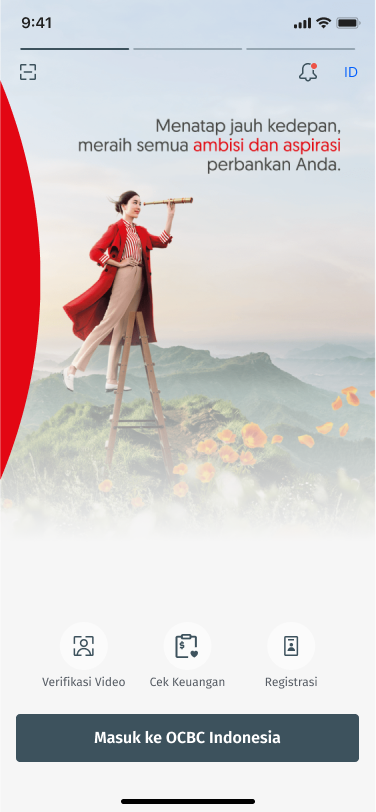
Open OCBC mobile
Click Register
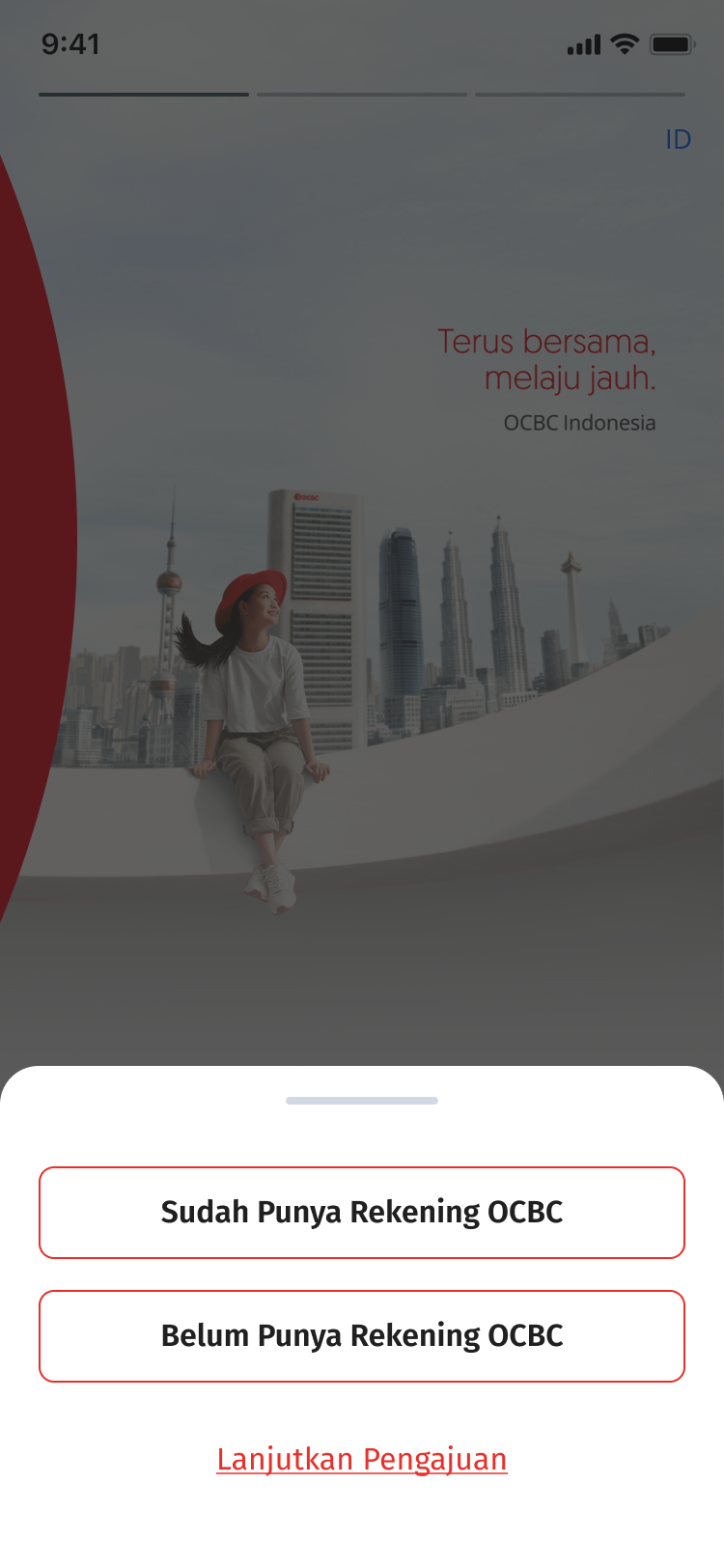
Step 1
Choose button "I Don't have an OCBC Account yet"
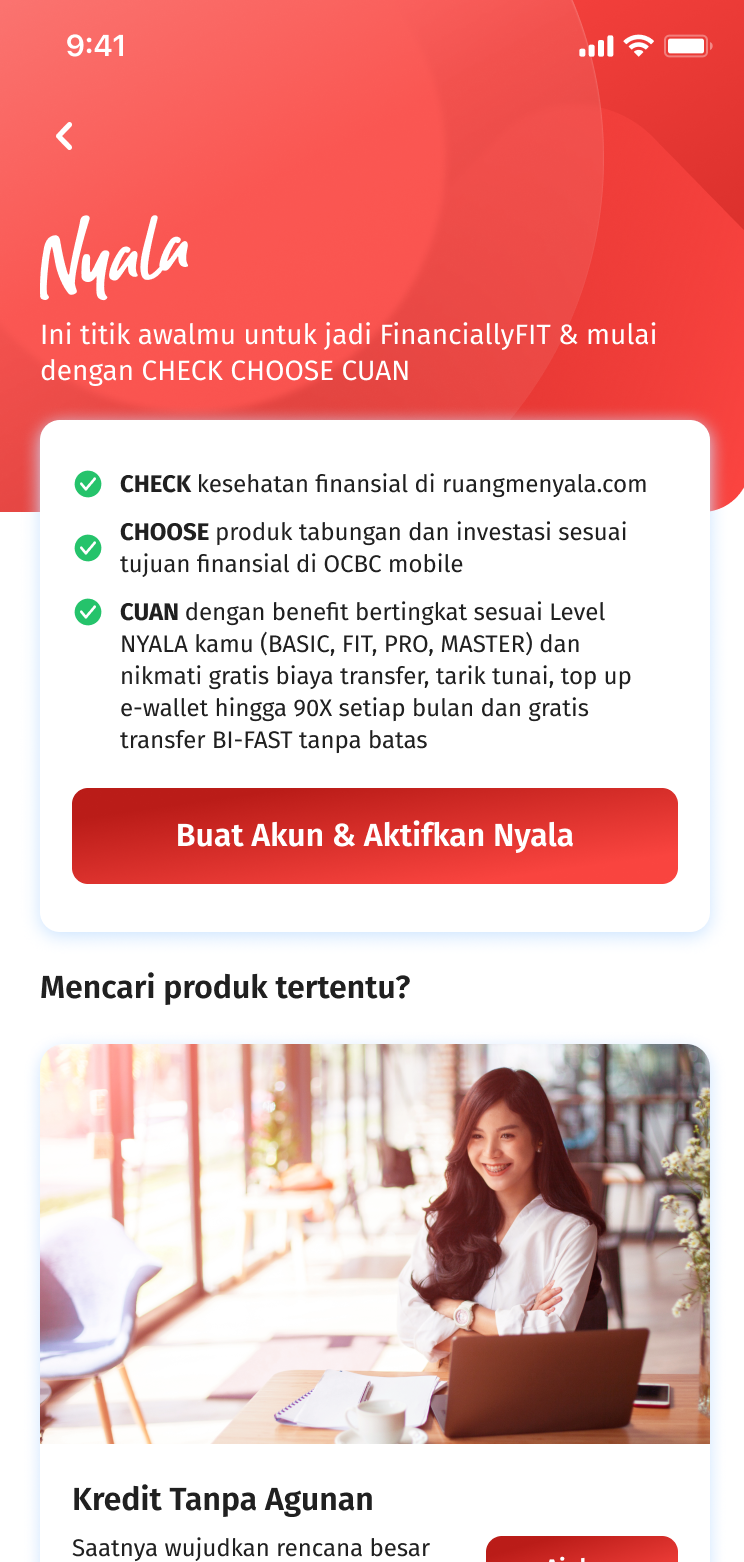
Step 2
Click “Apply Account & Activate Nyala”
Click Submit
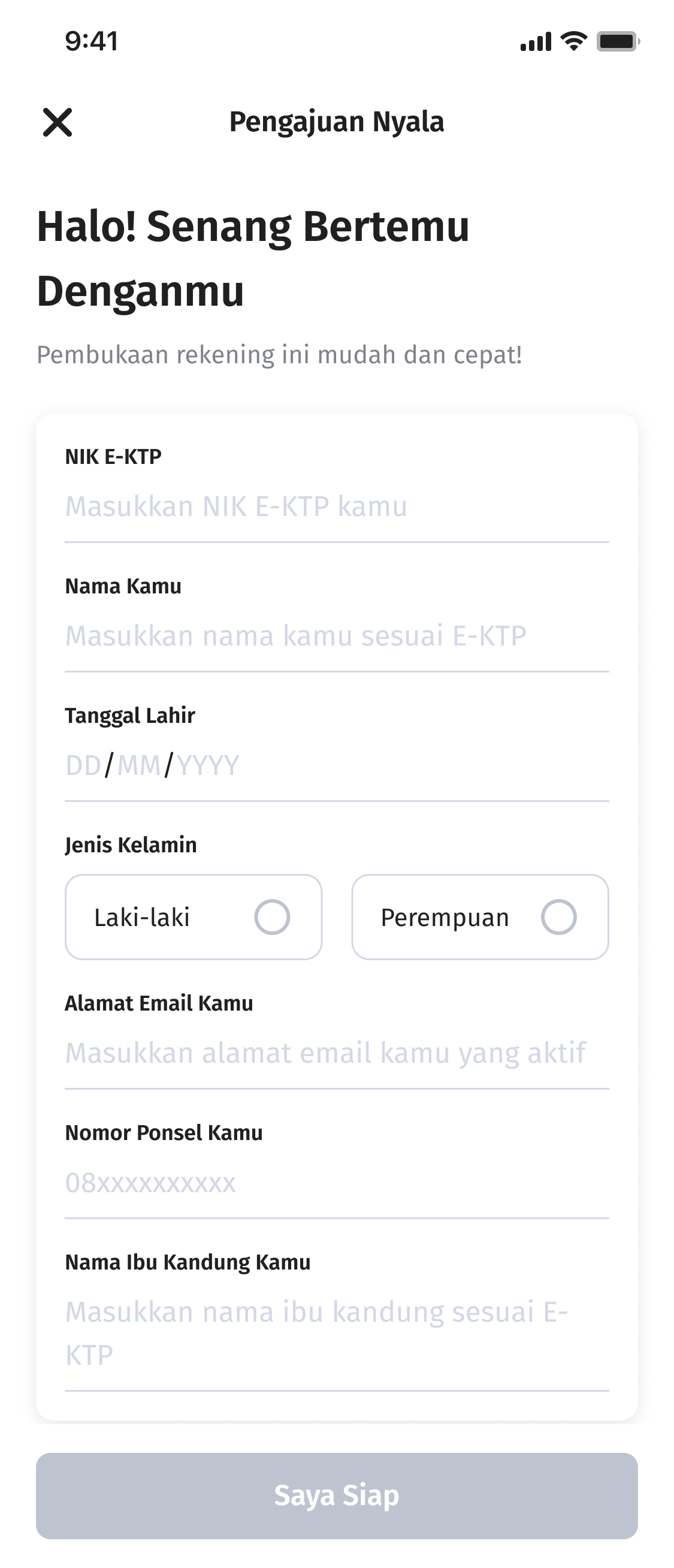
Step 3
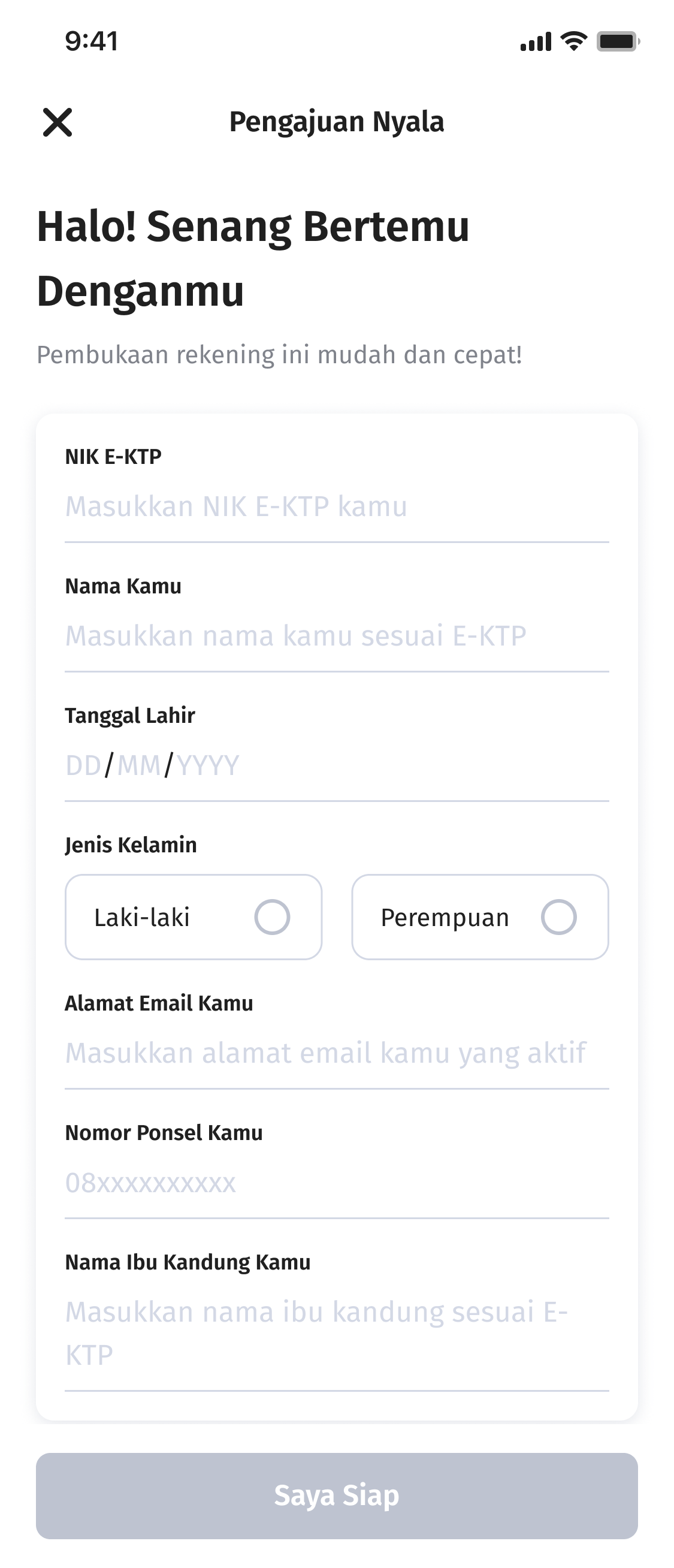
Fill in Personal Data
Complete your personal data
Step 4
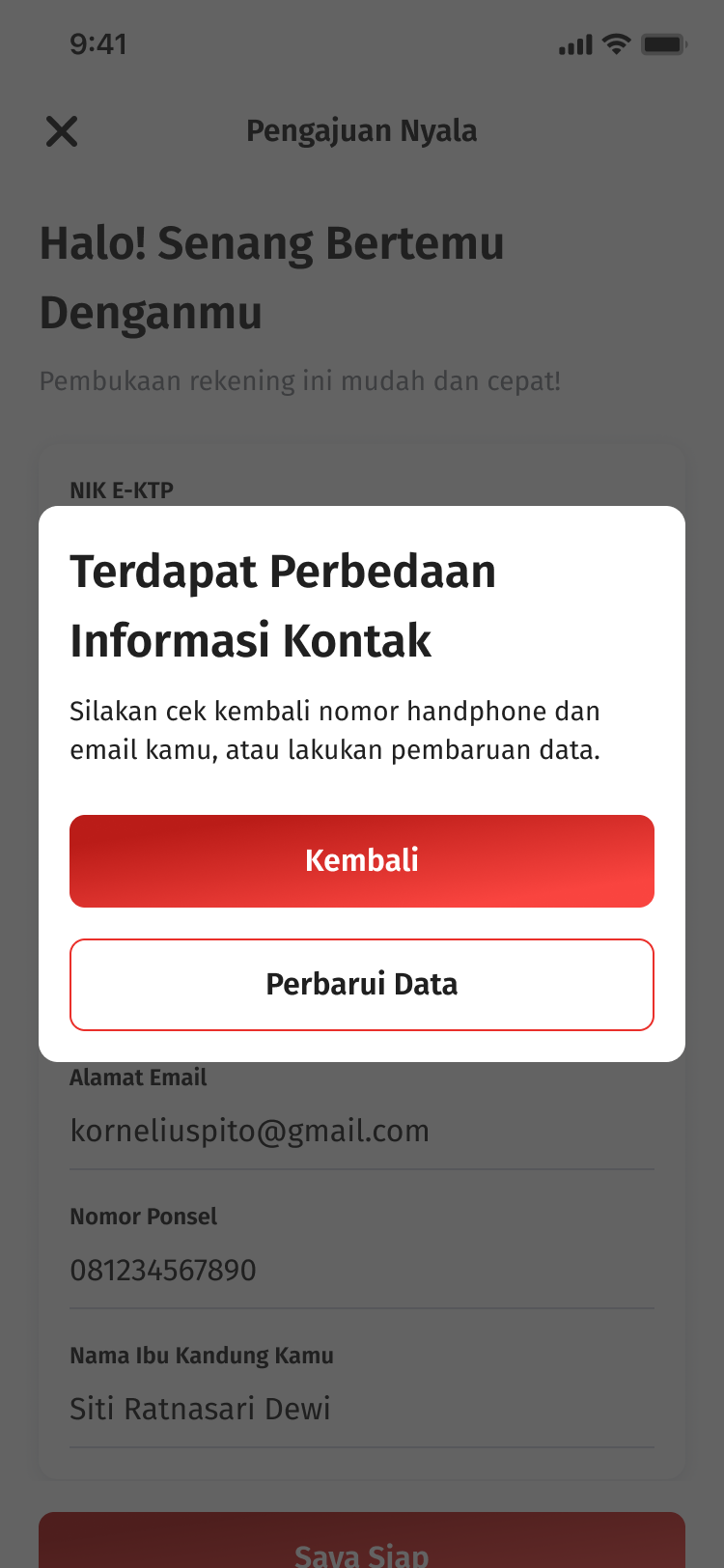
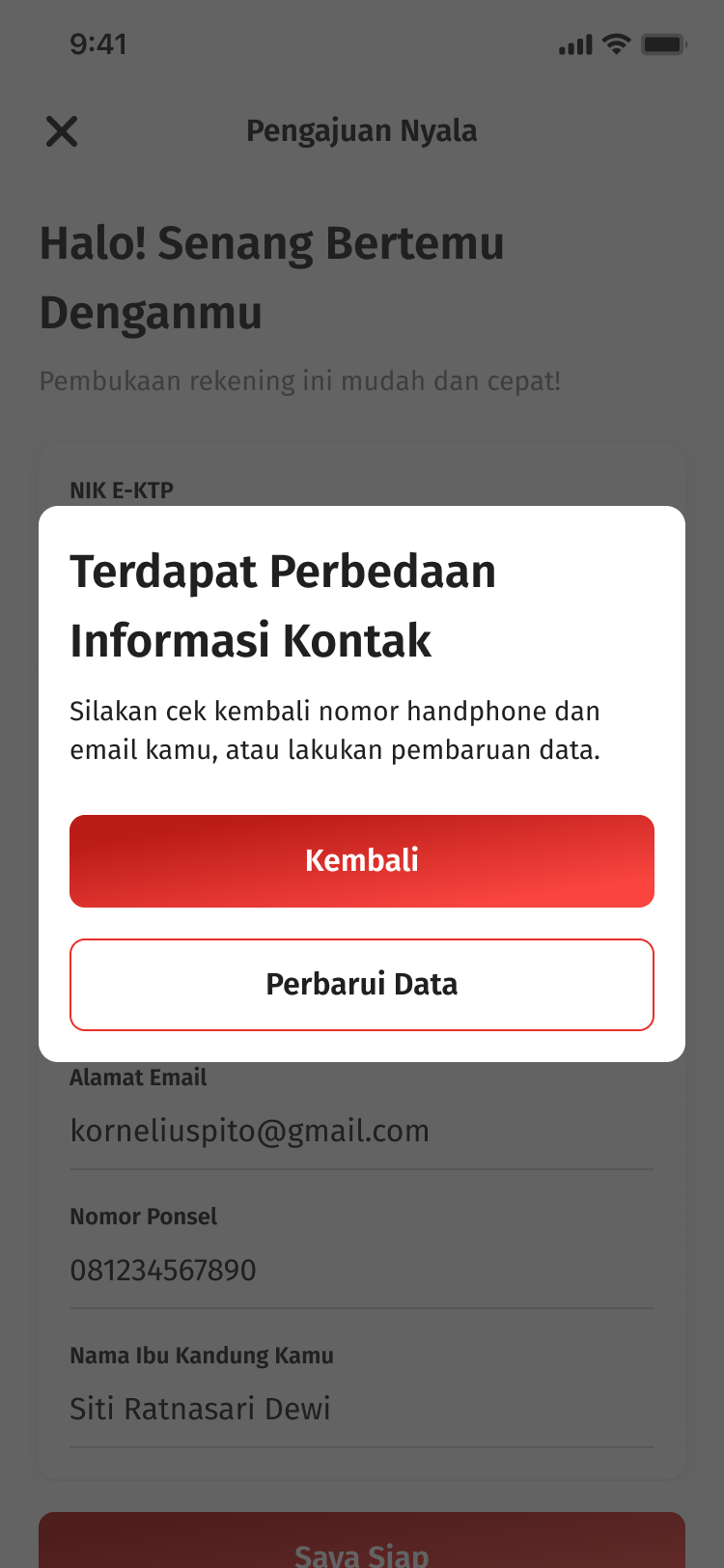
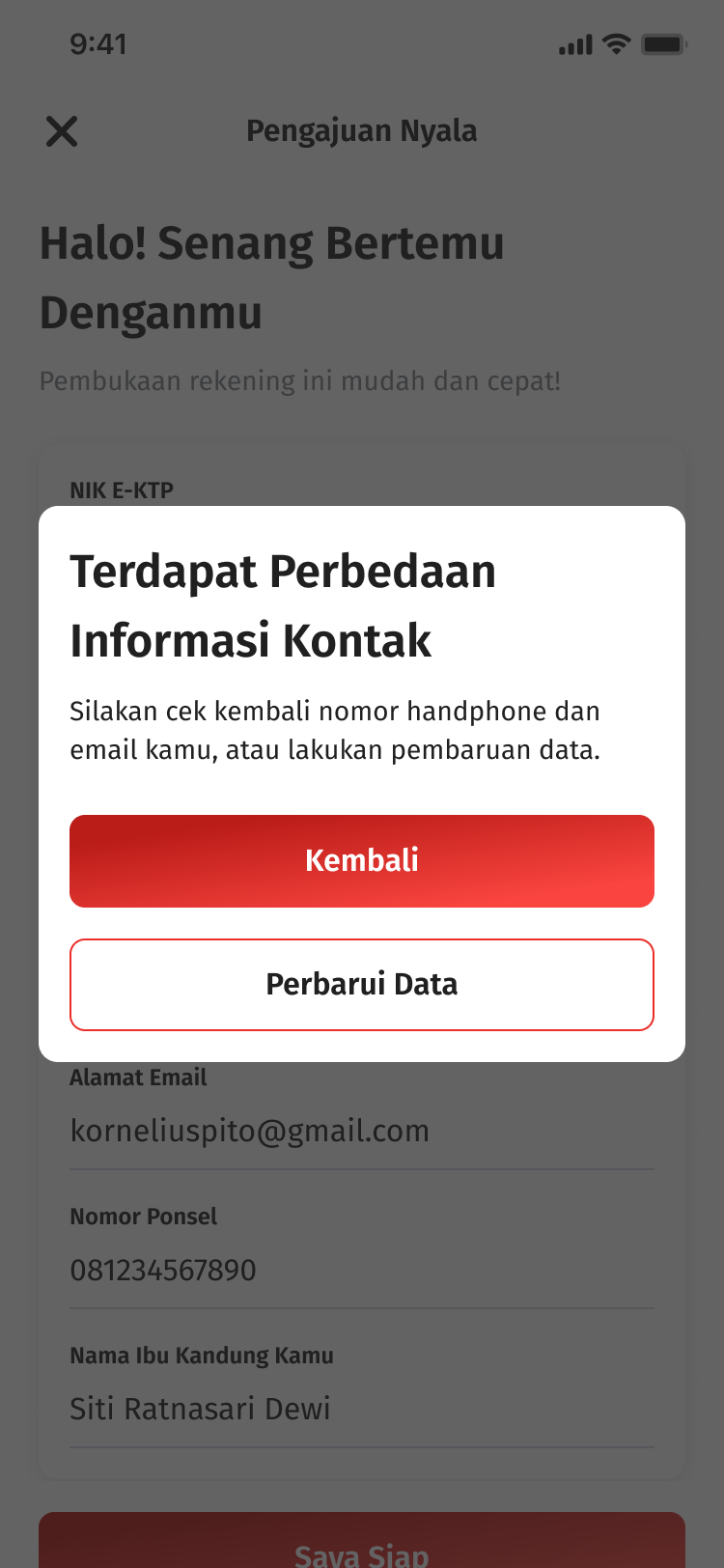
If there is a difference in contact information
Check your mobile number and email, or update your data by clicking “Update Data"
Step 5
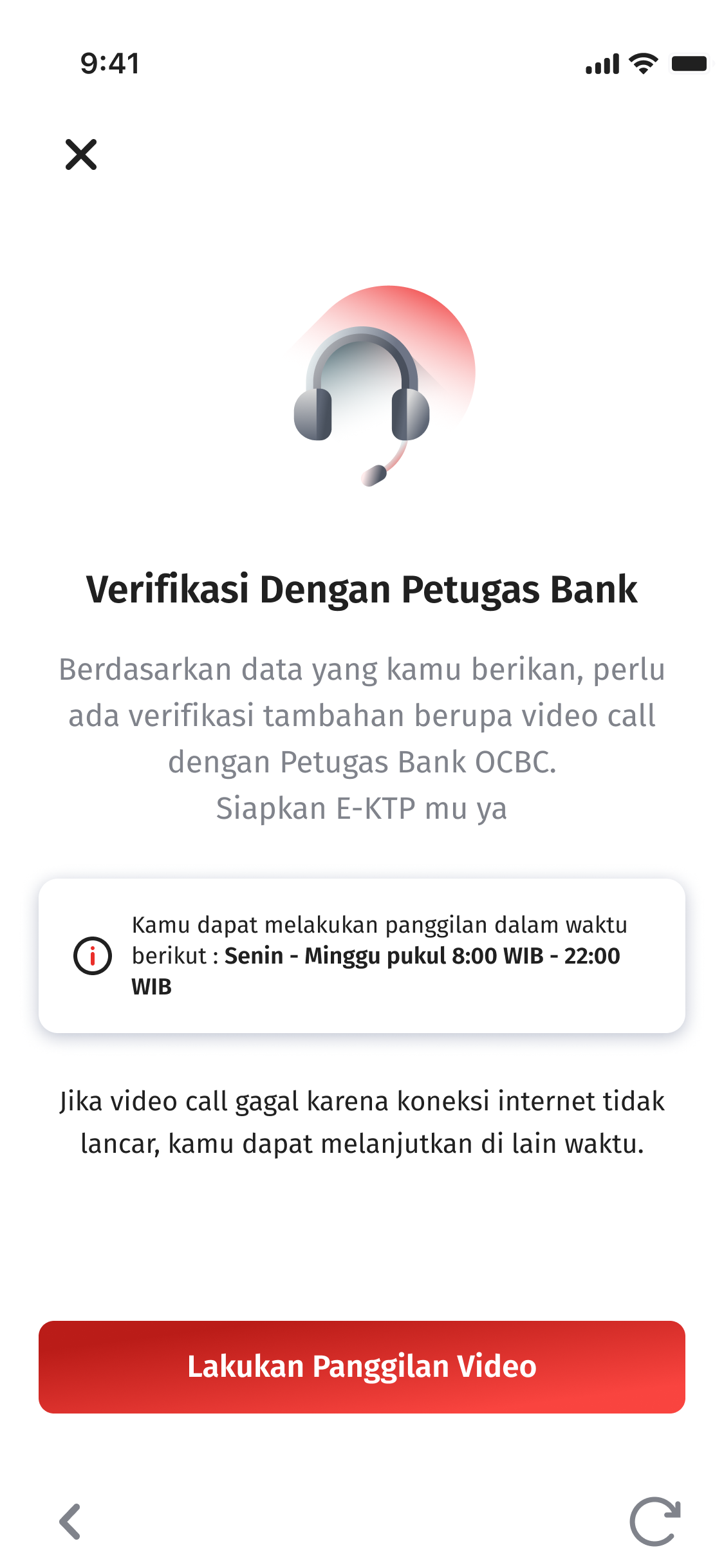
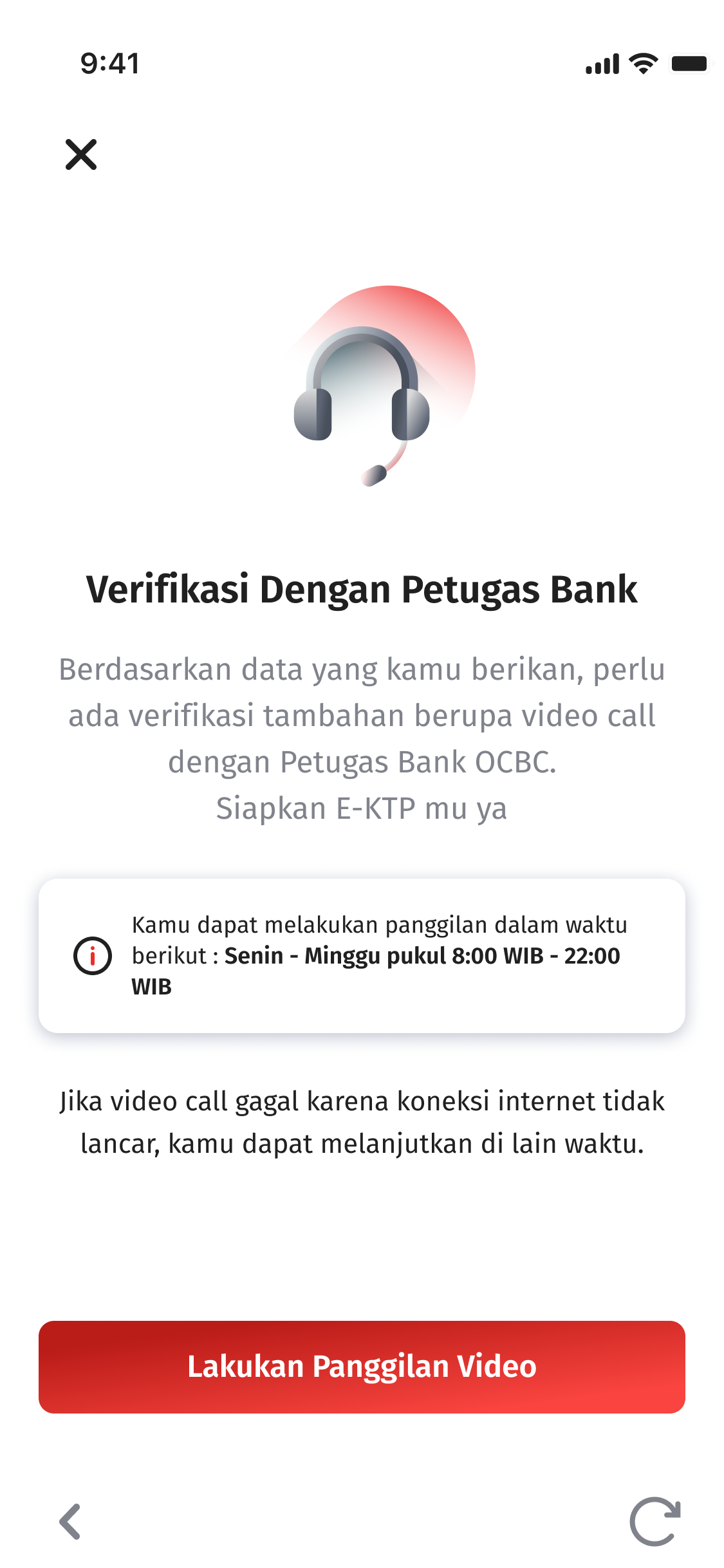
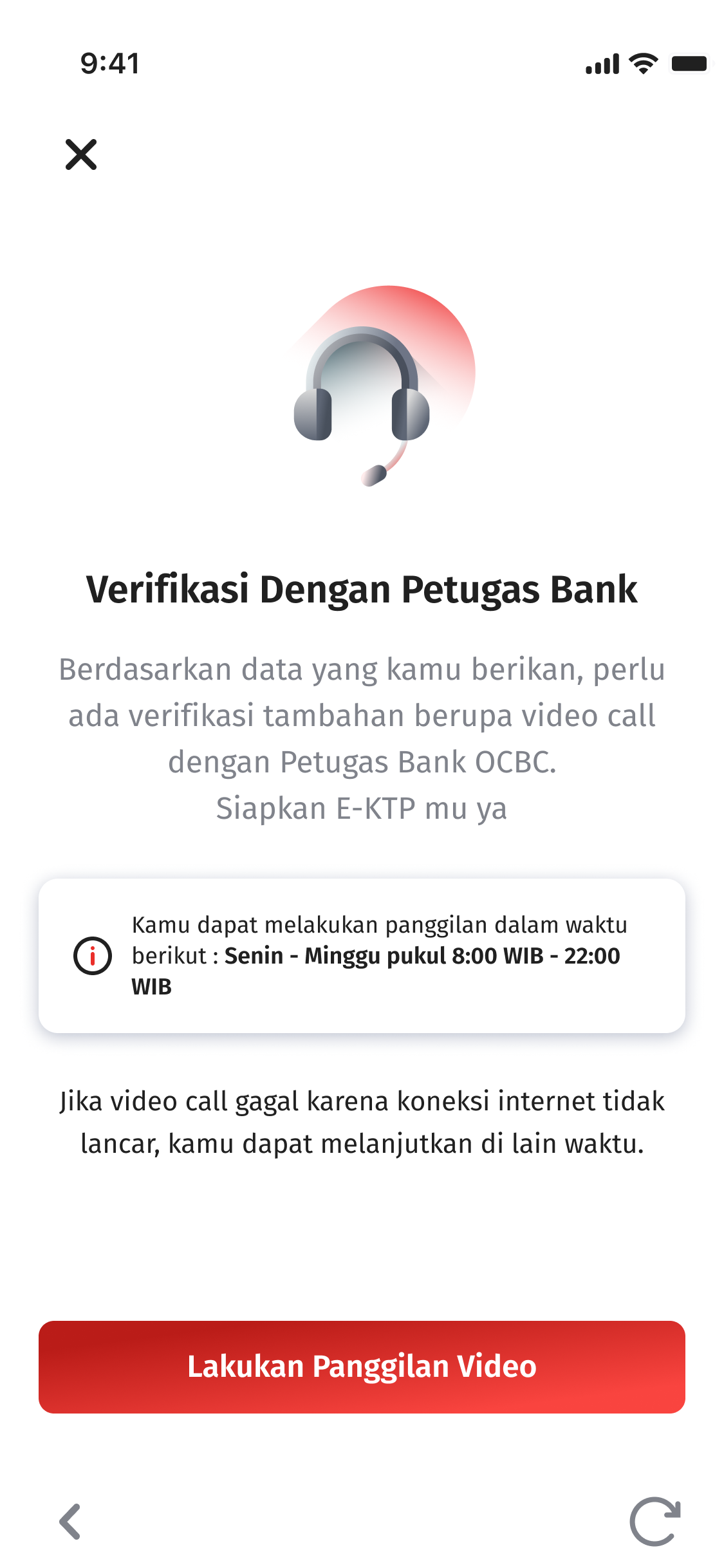
e-KYC & v-KYC Process
Prepare your ID Card and continue with video verification with the bank
Step 6
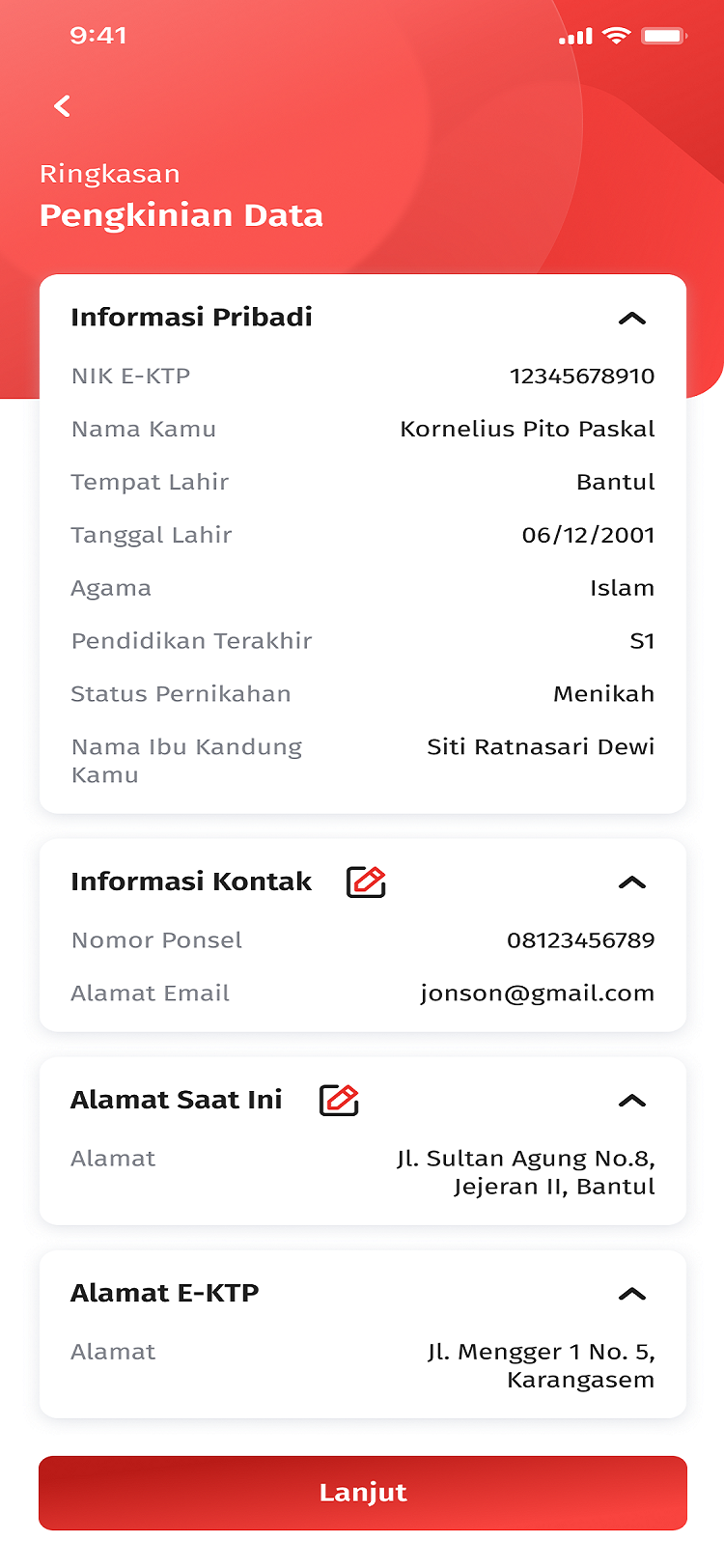
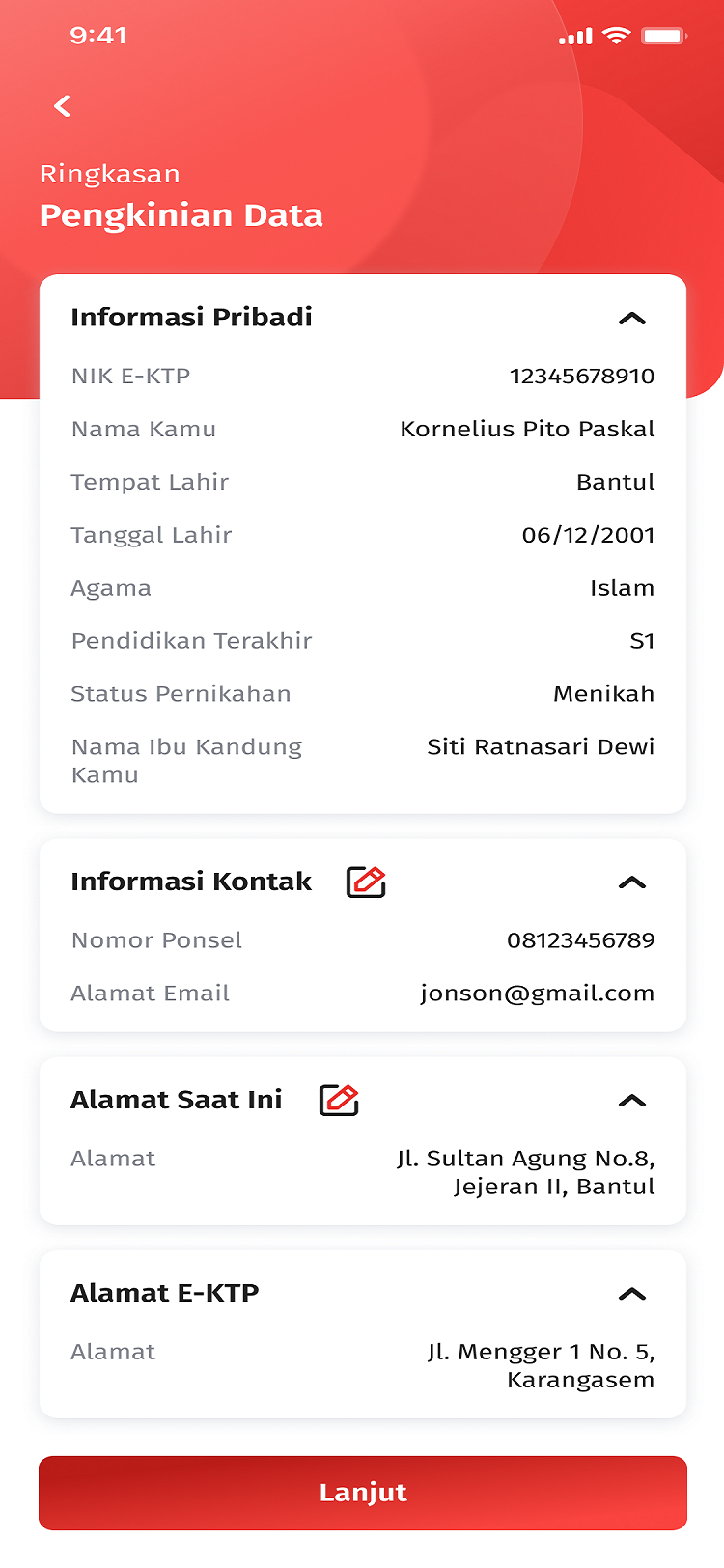
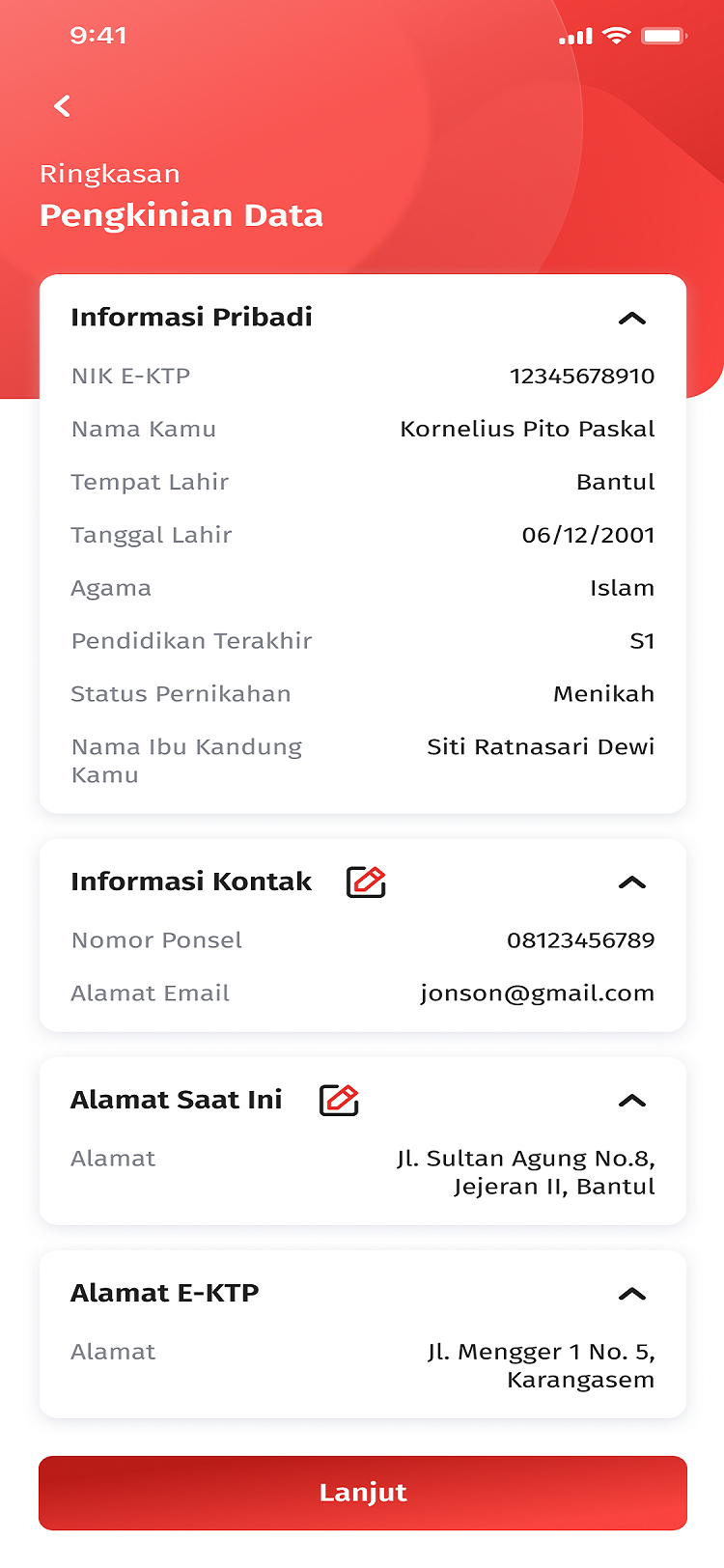
Check Data Summary
Re-check the data cummary and click save
Step 7
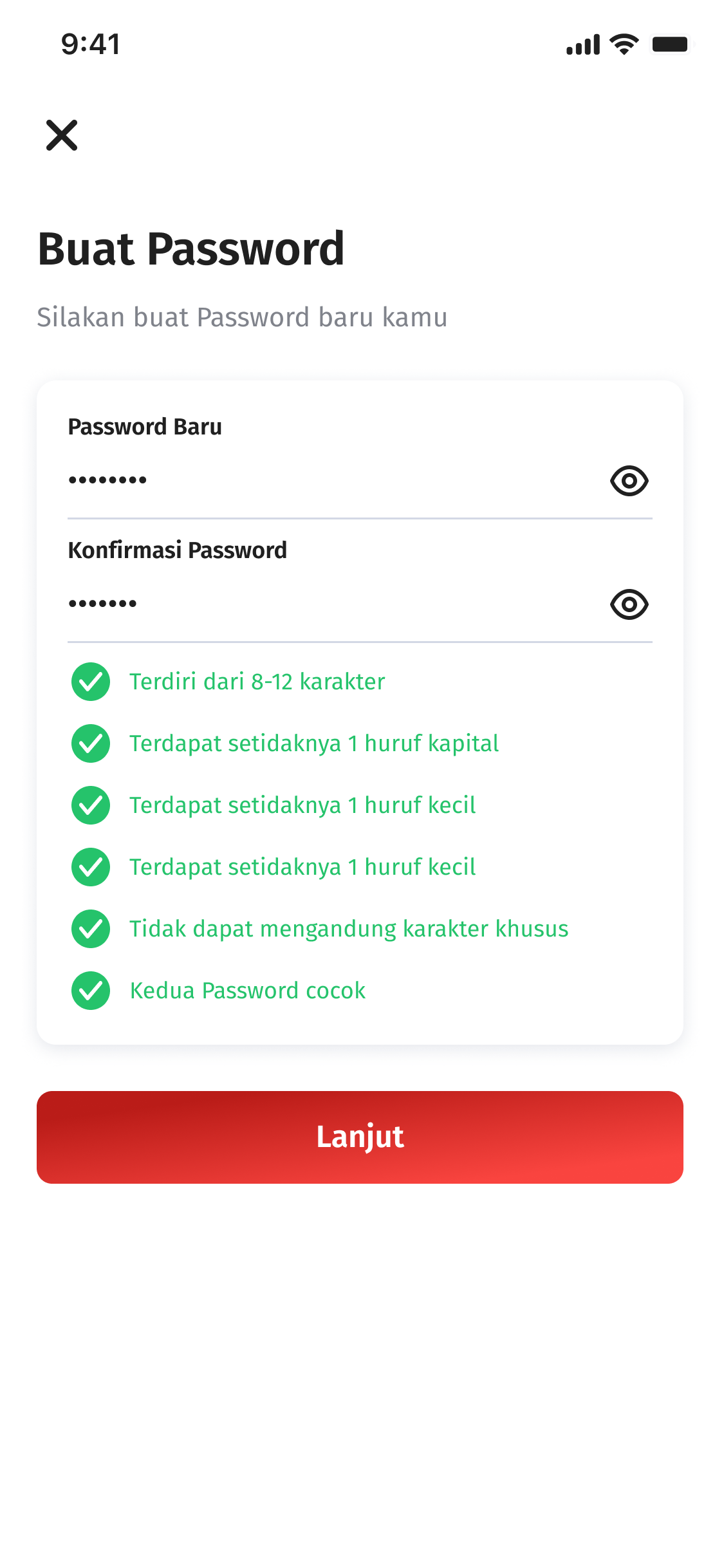
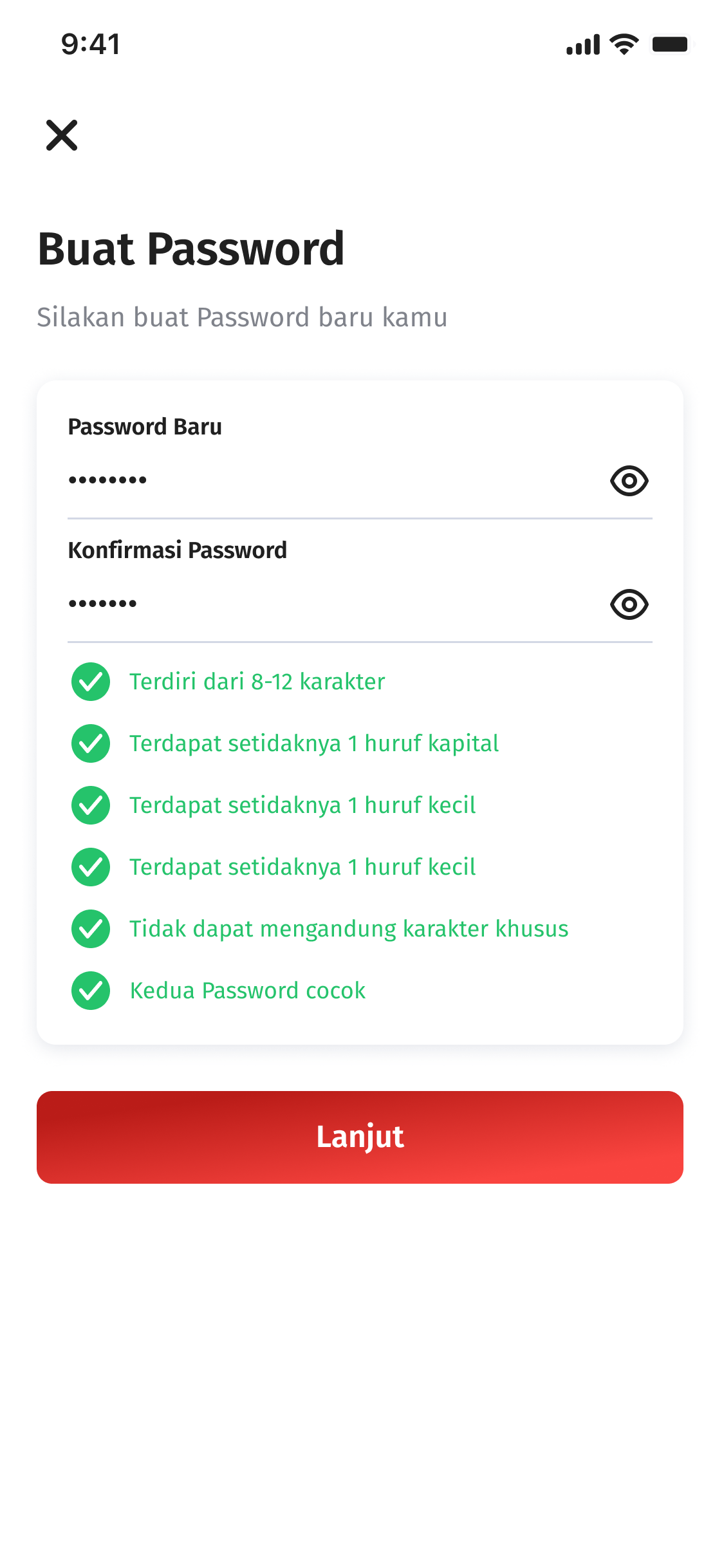
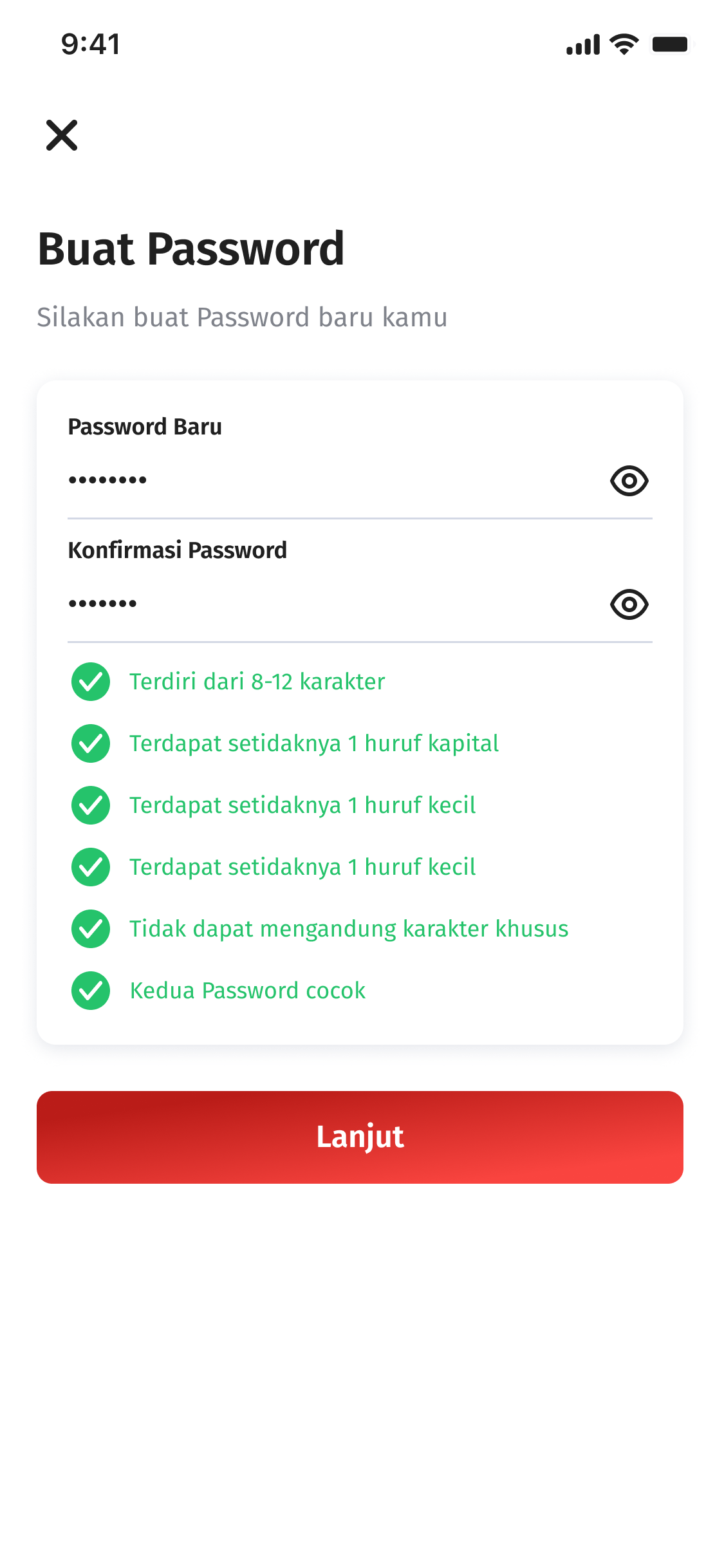
Create a Password
User ID Setting was successful. Continue by creating a new login password.
Step 8
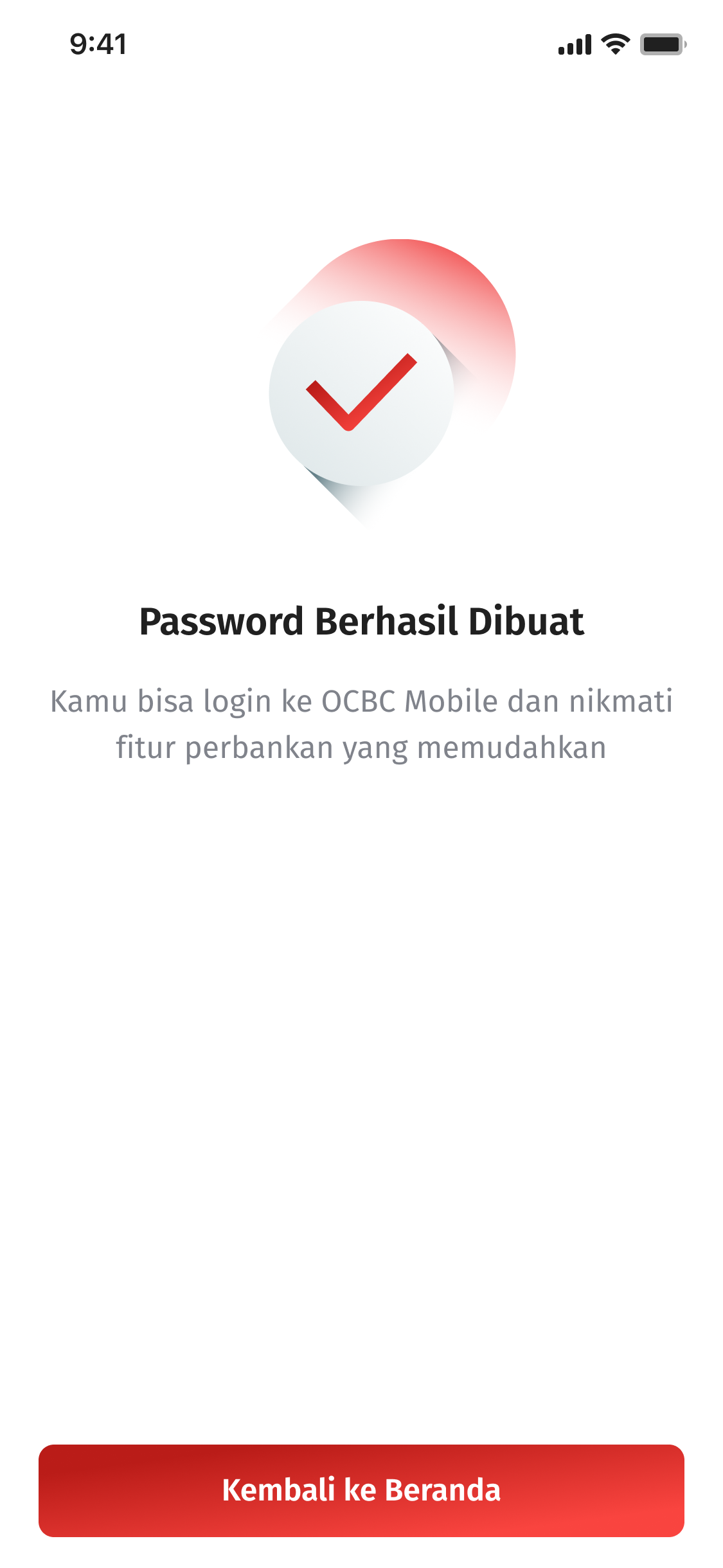
Successful
OCBC mobile login password was successfully created. Relogin to OCBC mobile to enjoy various features.
Step 9
Open OCBC mobile
Click Register
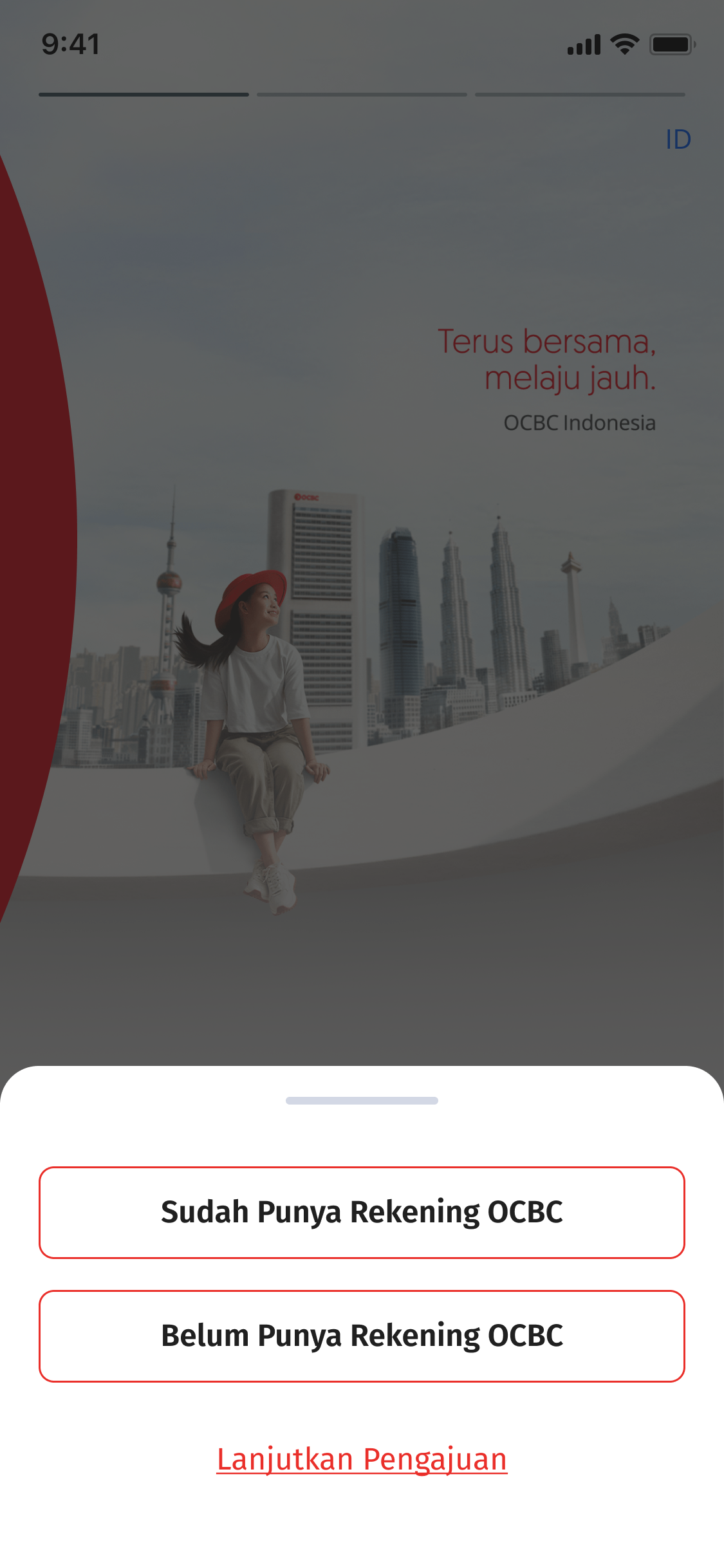
Step 1
Choose button "I Already Have an OCBC Account"
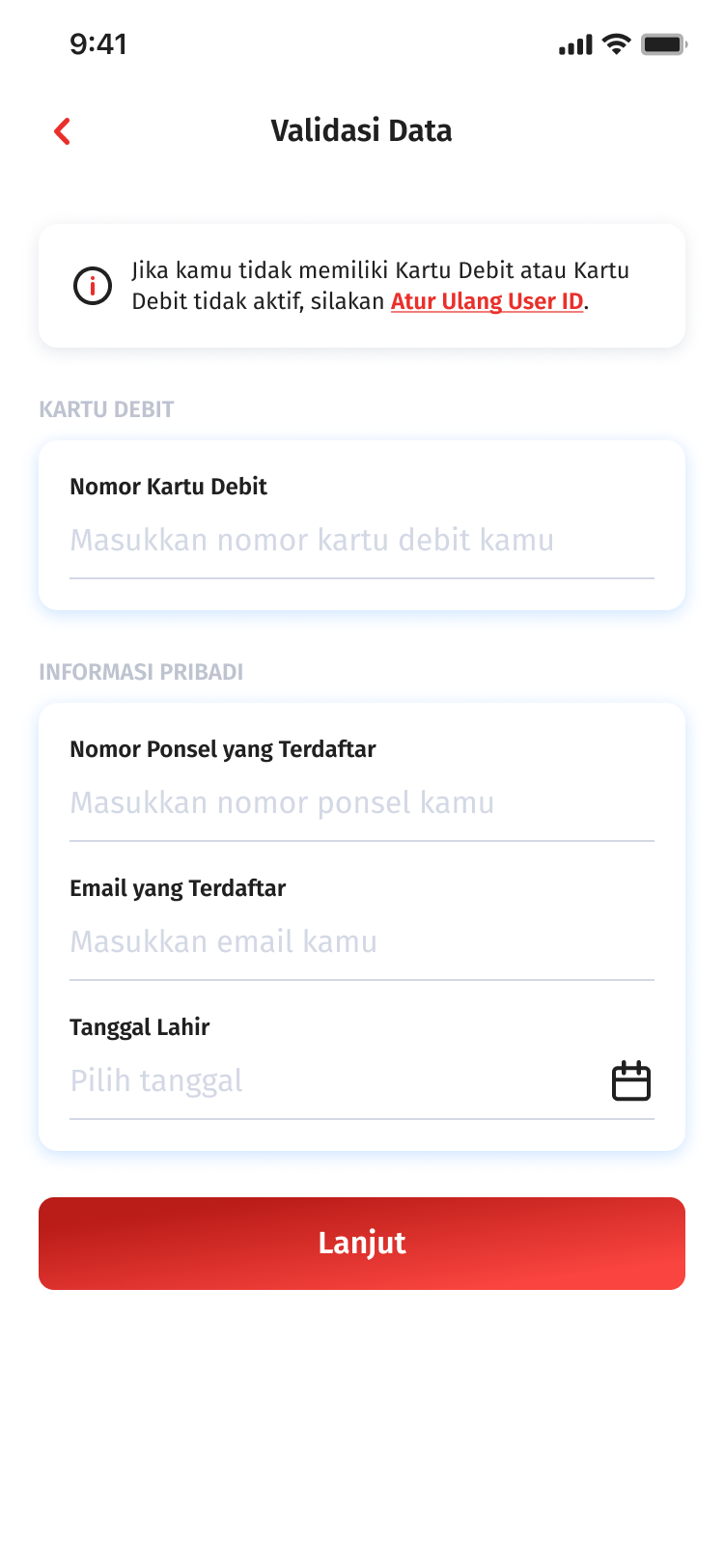
Step 2
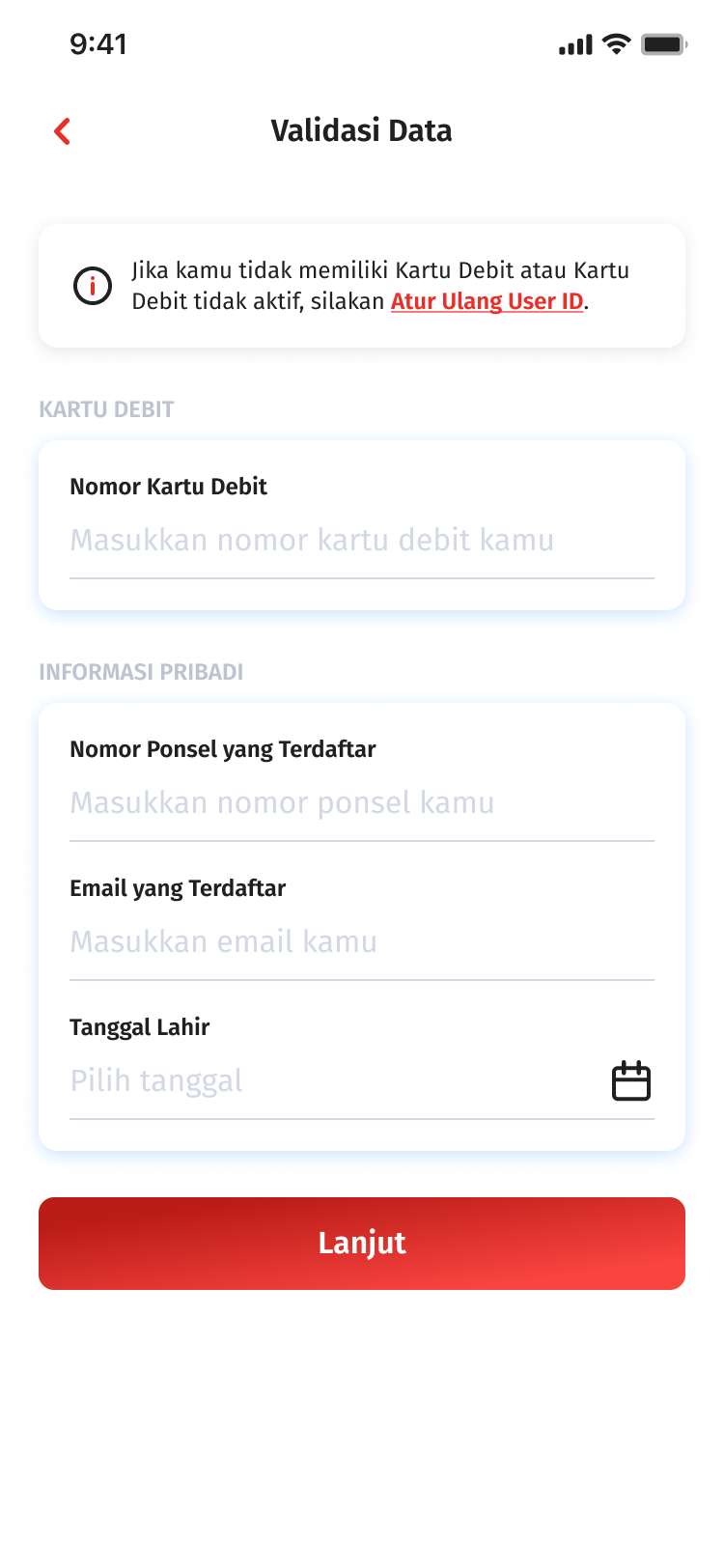
Data Validation
If identity (Debit card/mobile number/email) lost or different, click “ Reset User ID”
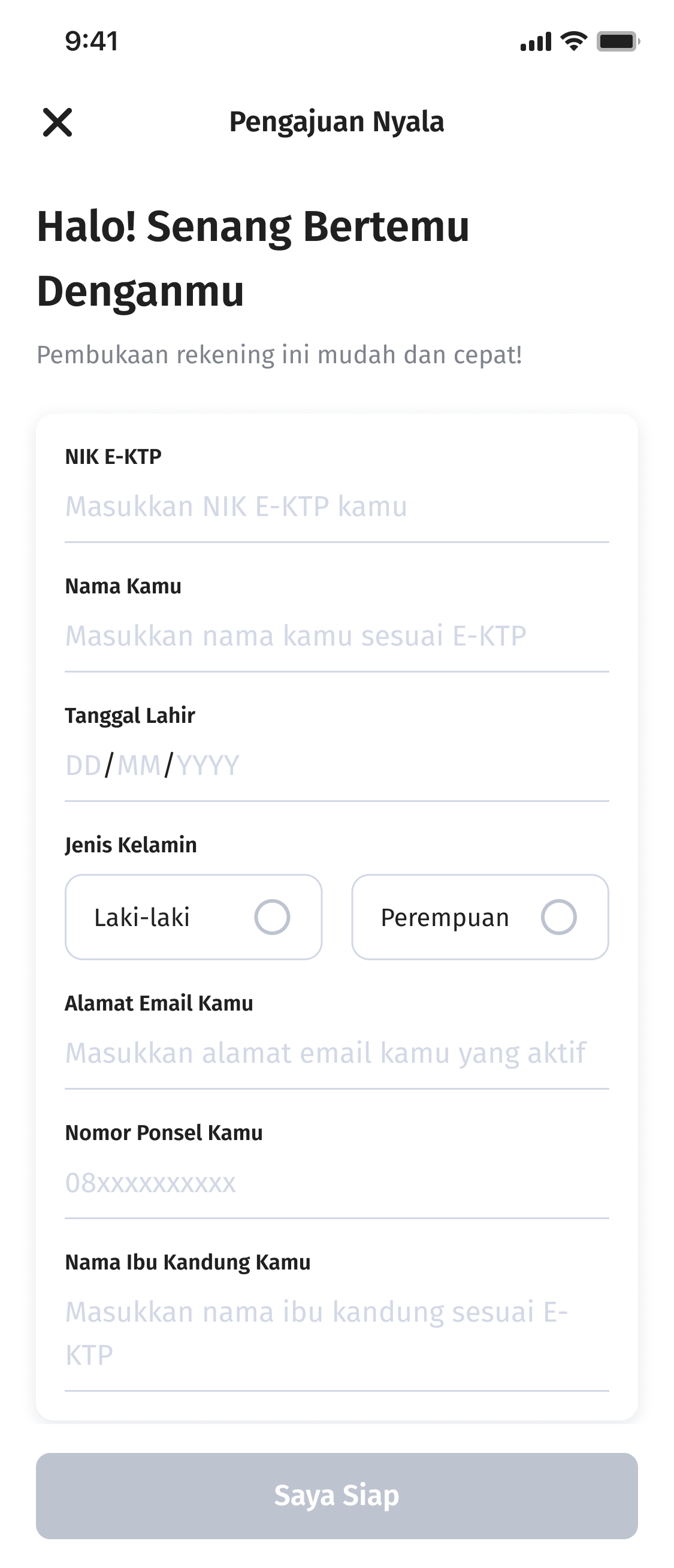
Step 3
Fill in Personal Data
Complete your personal data
Step 4
If there is a difference in contact information
Check your mobile number and email, or update your data by clicking “Update Data"
Step 5
e-KYC & v-KYC Process
Prepare your ID Card and continue with video verification with the bank
Step 6
Check Data Summary
Re-check the data cummary and click save
Step 7
Create a Password
User ID Setting was successful. Continue by creating a new login password.
Step 8
Successful
Login password OCBC mobile successfully created. Login again to OCBC mobile for enjoy various feature.
Step 9
Open OCBC mobile
Login OCBC mobile
Step 1
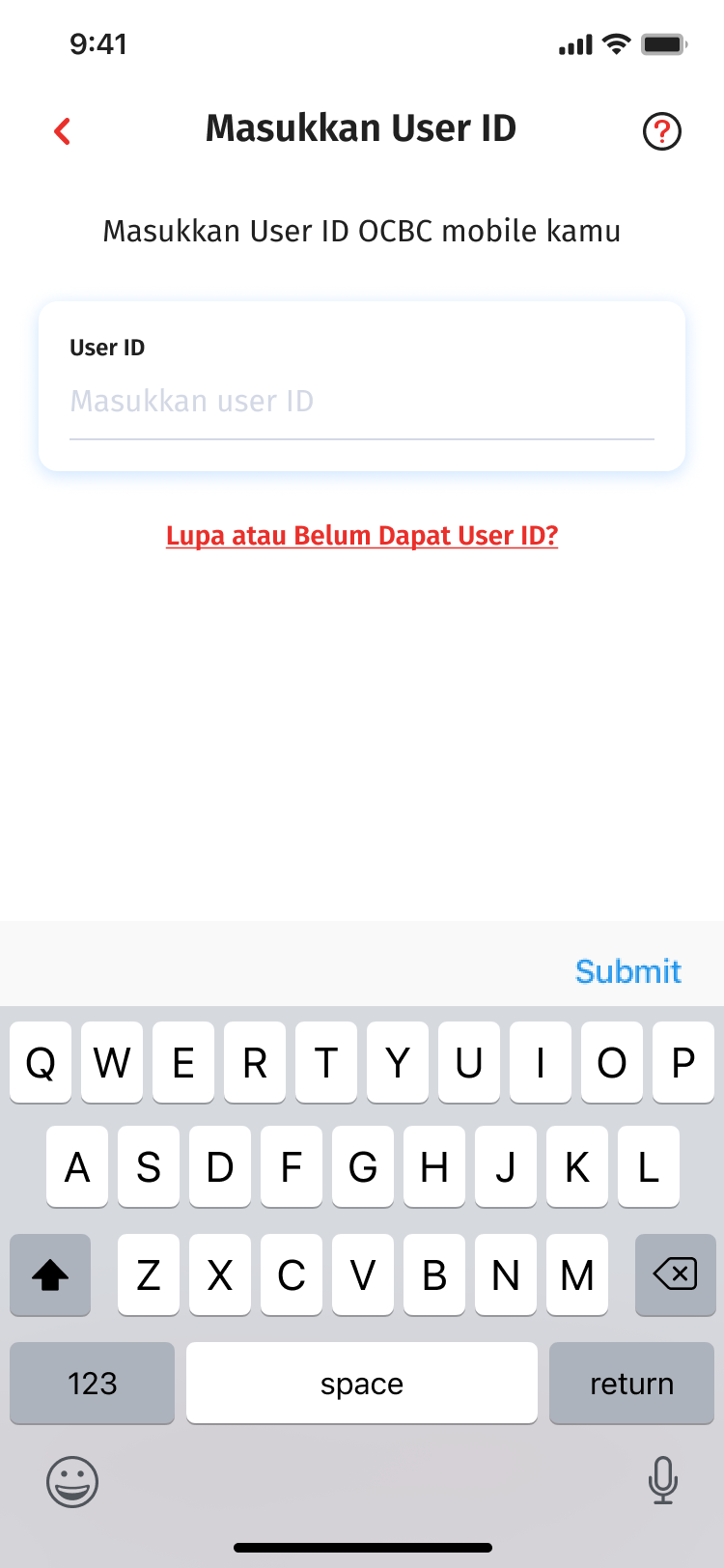
Input User ID
If you forgot your User ID, choose “Forgot or Haven’t Received User ID Yet?” button
Step 2
Data Validation
If identity (Debit card/mobile number/email) lost or different, click “ Reset User ID”
Step 3
Fill in Personal Data
Complete your personal data
Step 4
If there is a difference in contact information
Check your mobile number and email, or update your data by clicking “Update Data"
Step 5
e-KYC & v-KYC Process
Prepare your ID Card and continue with video verification with the bank
Step 6
Check Data Summary
Re-check the data cummary and click save
Step 7
Create a Password
User ID Setting was successful. Continue by creating a new login password.
Step 8
Successful
Login password OCBC mobile successfully created. Login again to OCBC mobile for enjoy various feature.
Step 9
Banking at Your Fingertips
Download OCBC mobile now!
This website uses cookies
We use cookies on this website for better service to you. Visit the Cookie Policy page to learn more. By clicking the 'Continue' button, you agree to the use of cookies on this site.







 Back
Back