Back to Promo
 Add to Calendar

May special offer! Cashback 10% up to IDR 40,000 by using new feature “QRIS CPM” on OCBC mobile!
Term & Conditions :
- Program period: May 8, 2026 - May 31, 2026.
- Cashback program is valid for all OCBC customers (new & existing customers)
- Cashback program is only valid for transactions using OCBC mobile’s new feature “QRIS CPM (Customer Presented Mode)” on selected local merchants/outlets which supported QRIS CPM payment method.
- Minimum transaction start from IDR 100,000
- Maximum cashback per transaction is 10% up to IDR 40,000
- Maximum cashback per customer per month is up to IDR 40,000
- Cashback program is valid everyday (incl. national public holidays)
- Program quota is limited to first 500 (five hundred) transactions during program period
- Cashback will be credited to customer’s OCBC account which successfully used as source of fund for QRIS transaction at the latest by the last week of following month.
- Especially for customers who hold Tanda Junior for Young Nyala account, parents and children accounts are identified as 1 (one) customer. Therefore, if the parent has made successful transactions according to the terms and conditions and received maximum cashback, the cashback will not be credited to the child's account (even if the child has made a successful transaction according to the program’s terms & conditions). Vice versa.
- PT Bank OCBC NISP Tbk ("OCBC"), at its discretion and discretion, reserves the right to suspend or cancel the award of rewards if there are indications of fraud, irregularities, or violations of these terms and conditions.
- These terms and conditions have been adjusted to comply with applicable laws and regulations, including those of the Financial Services Authority.
- OCBC reserves the right and authority to amend, add, and/or reduce these terms and conditions by providing notification through any medium deemed appropriate by OCBC, in accordance with applicable laws and regulations.
- Should these program’s Terms and Conditions be translated into another language, then a discrepancy or conflict occurred between the Indonesian and the foreign language, then the Indonesian language will be applied.
How to Use QRIS Pay in OCBC mobile
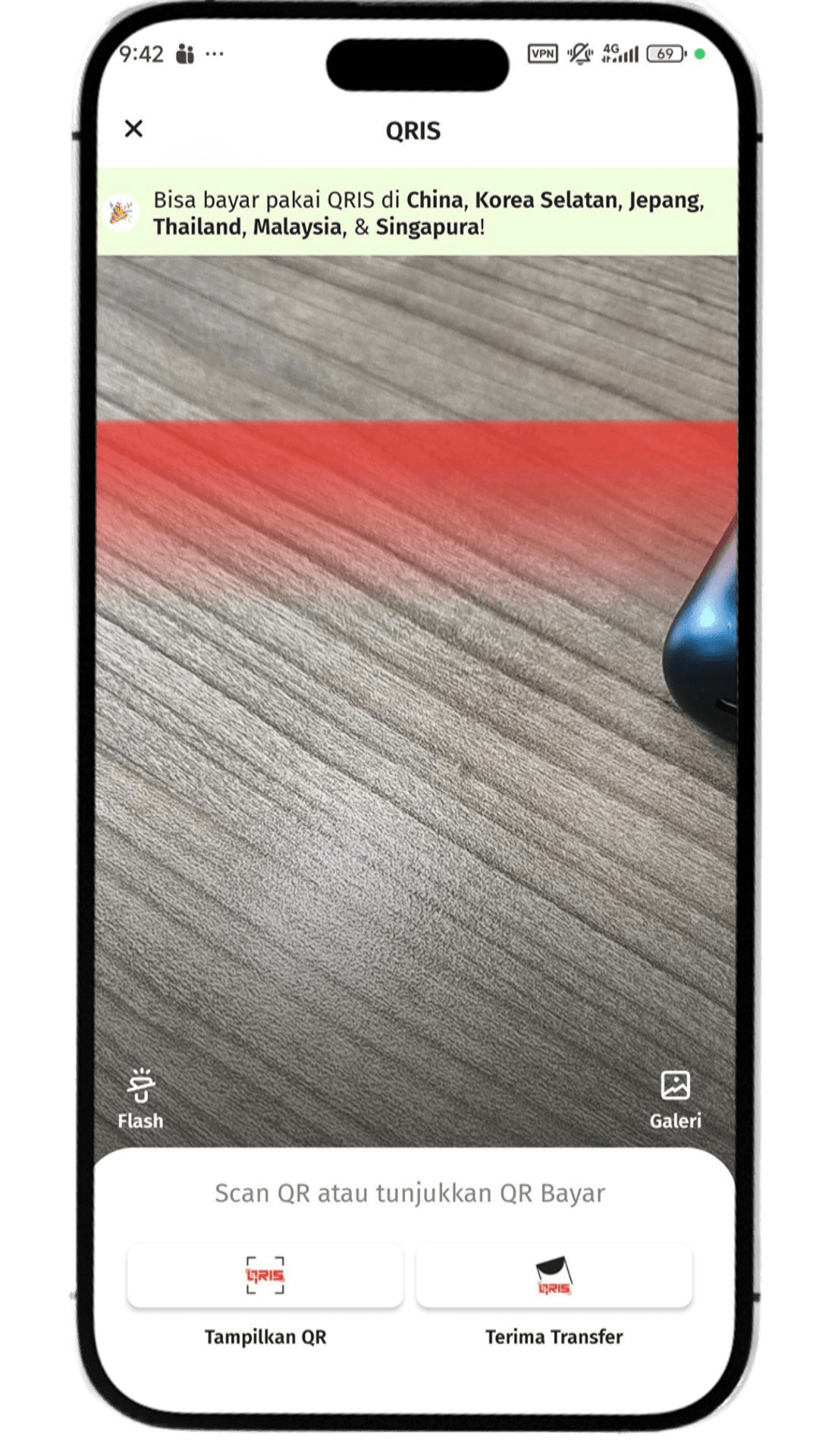
- Open OCBC mobile and choose menu QRIS
- Click Show QR and make sure the transaction amount is correct
- Click OK and enter OCBC mobile transaction PIN to displau the payment QR code
- Show the payment QR code to the cashier to be scanned, and the payment will be completed successfully!
PT Bank OCBC NISP Tbk is licensed and supervised by the Indonesian Financial Services Authority (OJK) & Bank Indonesia, and is a guaranteed member of Indonesia Deposit Insurance Corporation (LPS)
Further information, contact TANYA OCBC via phone 1500-999 or website www.ocbc.id which related to Program Promo